Three projects, one goal: making Azure Portal easier to navigate. From dashboard management to service discovery to establishing reusable hub patterns, this work focuses on helping users find what they need in a system of immense scale.
2022 - 2025
Portal Navigation
Unified fragmented experiences into cohesive hubs, reducing time-to-task and improving discoverability across the portal.
Lead Designer — owned end-to-end design for Dashboard Hub, All Services redesign, and Hub Design Patterns.
Collaborated with product managers, engineers, UX researchers, and other designers.
A Hub groups related services and resources to help users discover, compare, and manage across resource boundaries. This project established visual patterns to make hubs consistent and modern across Azure.
A grouping of services or resources for related scenarios, with goals to consolidate discovery, enable comparison of services, and support management tasks beyond individual resource boundaries.
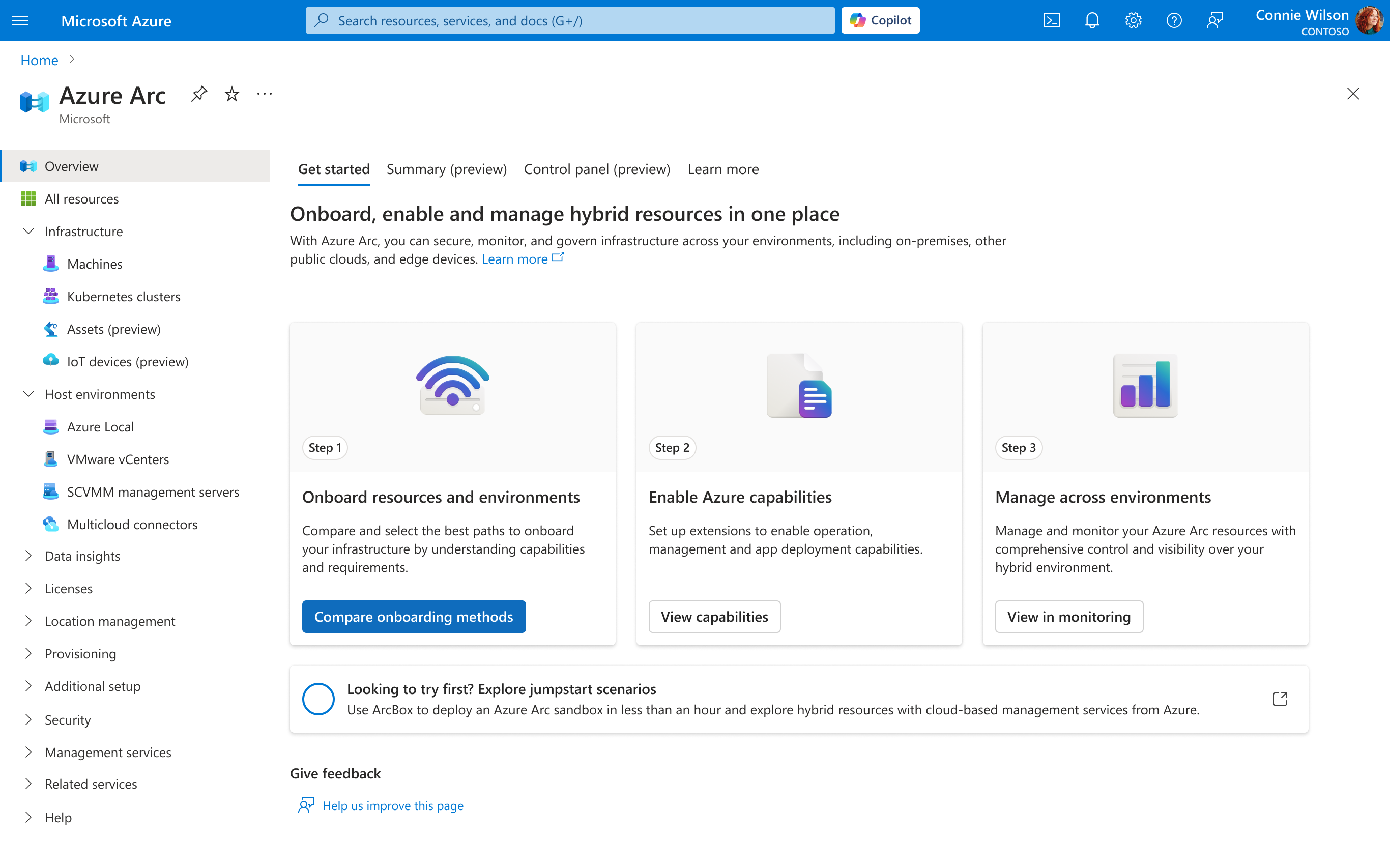
As multiple teams built hubs independently, inconsistencies emerged. PM feedback indicated that hubs needed to be more consistent before release, with a modernized look and feel that aligned with the portal homepage.
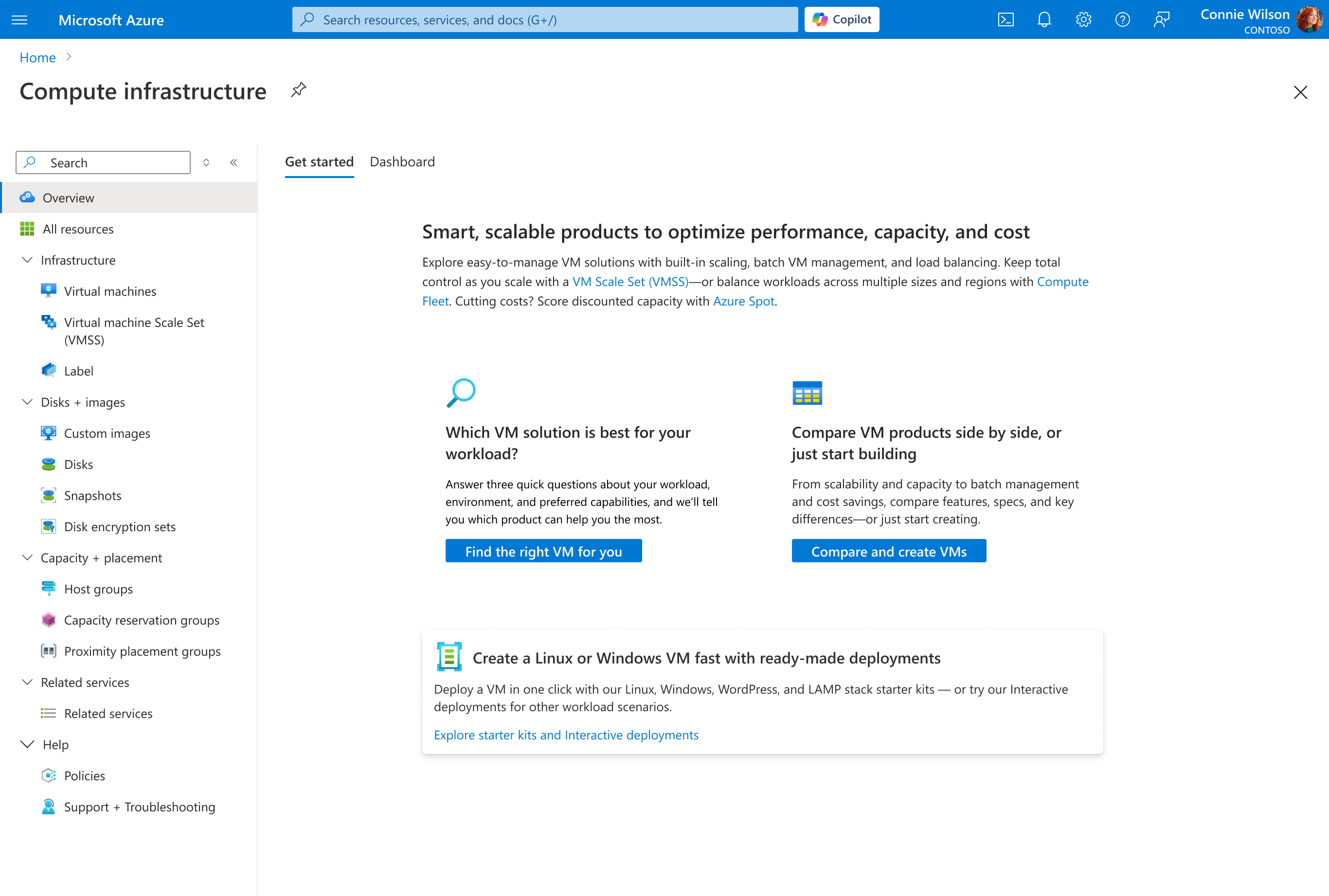
Each hub looked different, creating a fragmented experience across the portal. Hubs needed to align more closely with the portal homepage design language.
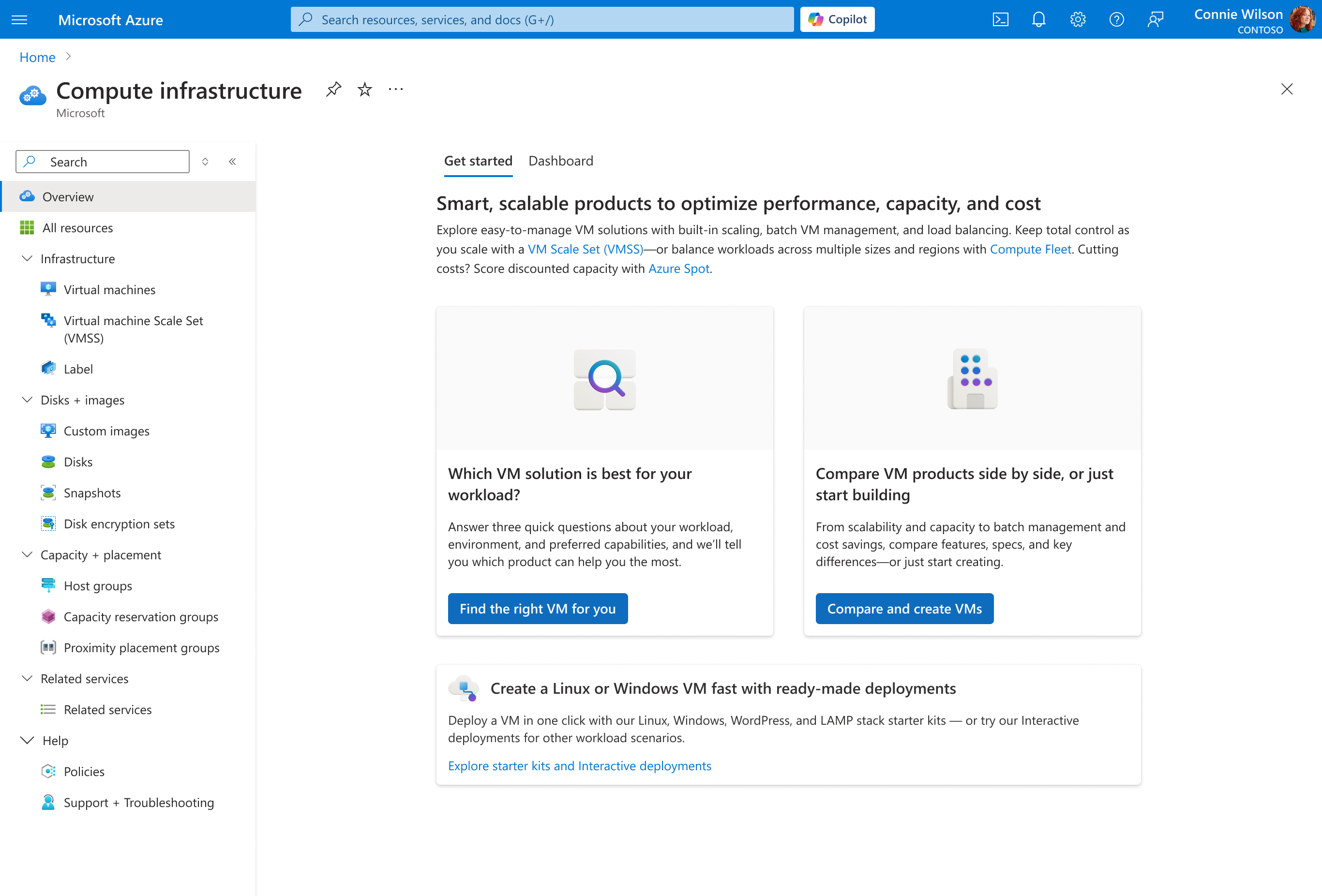
We focused on the "Get started" tab, implementing consistent card-based layouts, clearer step indicators, and improved typography. The refresh maintained functionality while creating a more modern, cohesive experience. Below is an example from Azure Arc.
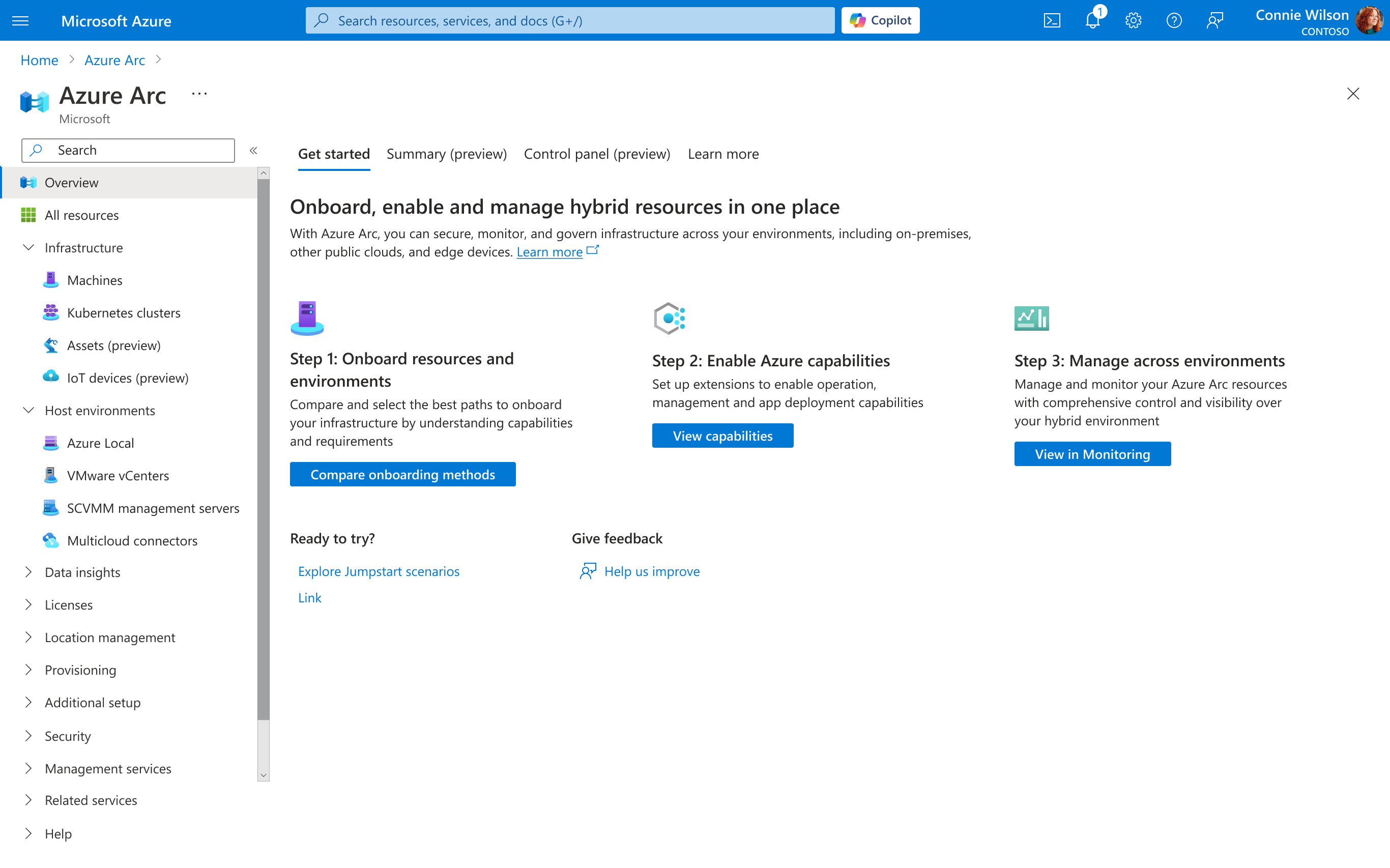
Before
After
These patterns were designed to scale across all hubs. Below is an example from Compute Infrastructure—each hub could customize content while maintaining consistent structure, spacing, and interaction patterns.
Before
After
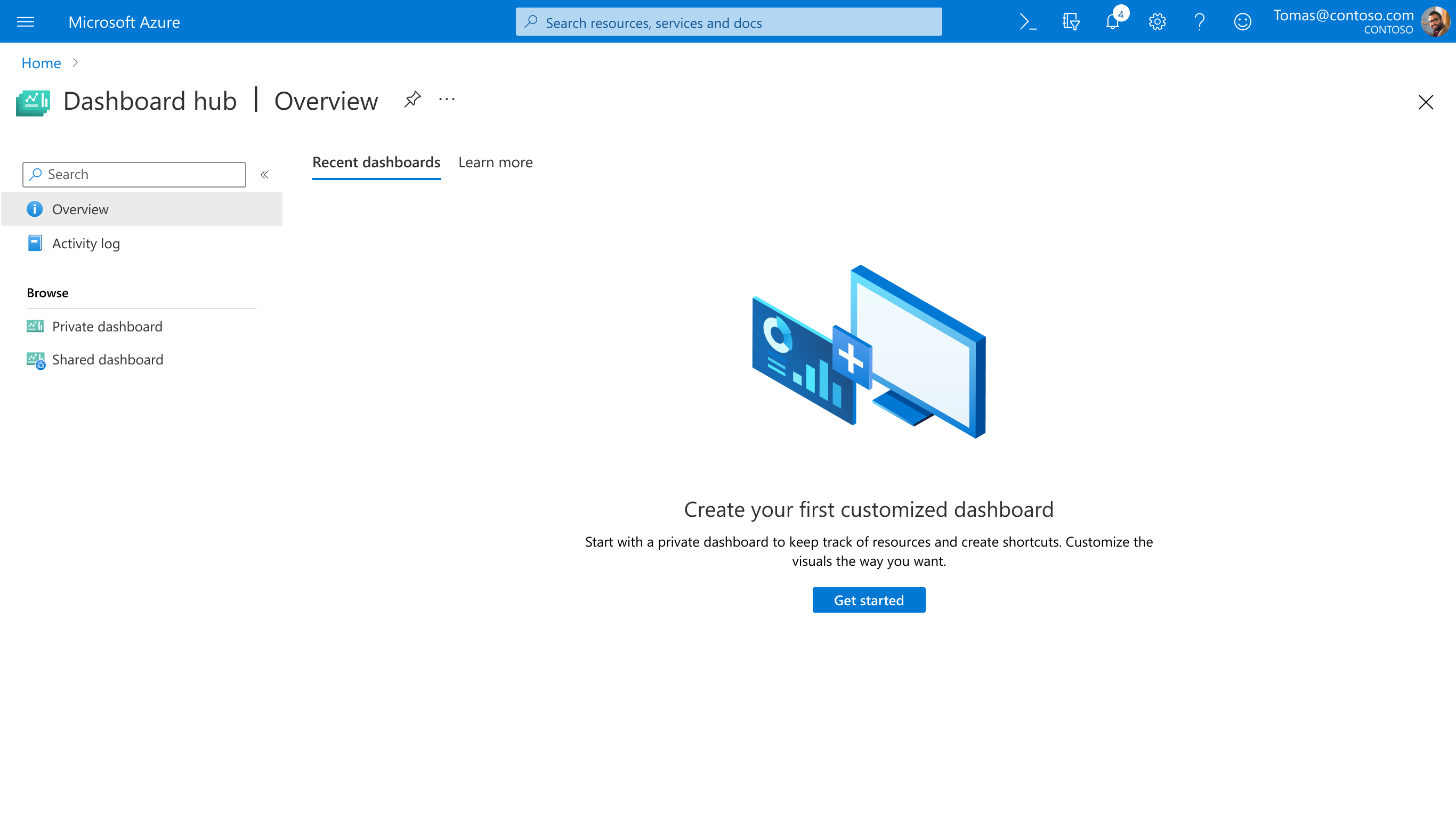
A unified platform addressing fragmented dashboard experiences across Azure, helping users easily find and manage both private and shared dashboards.
Users struggled to find their dashboards because private and shared dashboards lived in different locations throughout the portal. This fragmentation caused confusion and wasted time as users searched multiple areas to locate their work.
Private and shared dashboards have different locations, causing confusion.
No single place to view and manage all dashboards together.
New users lack resources to learn dashboard best practices.
For users who haven't created any dashboards yet, we designed a welcoming empty state with clear calls-to-action. The interface guides new users to create their first dashboard while explaining the value of dashboards for monitoring Azure resources.
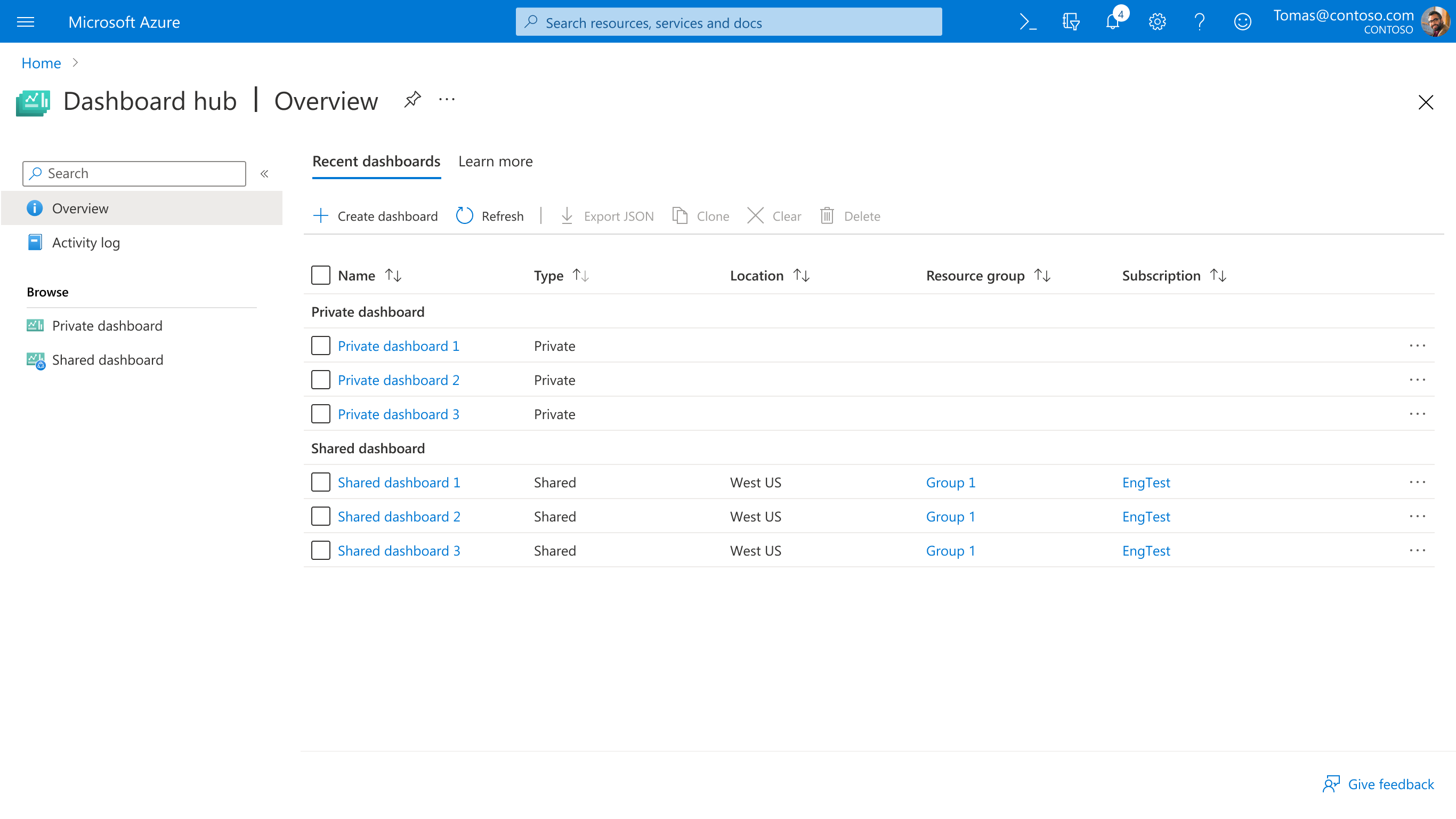
Returning users see their 10 most recently accessed dashboards front and center. This design respects users' workflows by surfacing the dashboards they use most frequently, reducing navigation time and cognitive load.
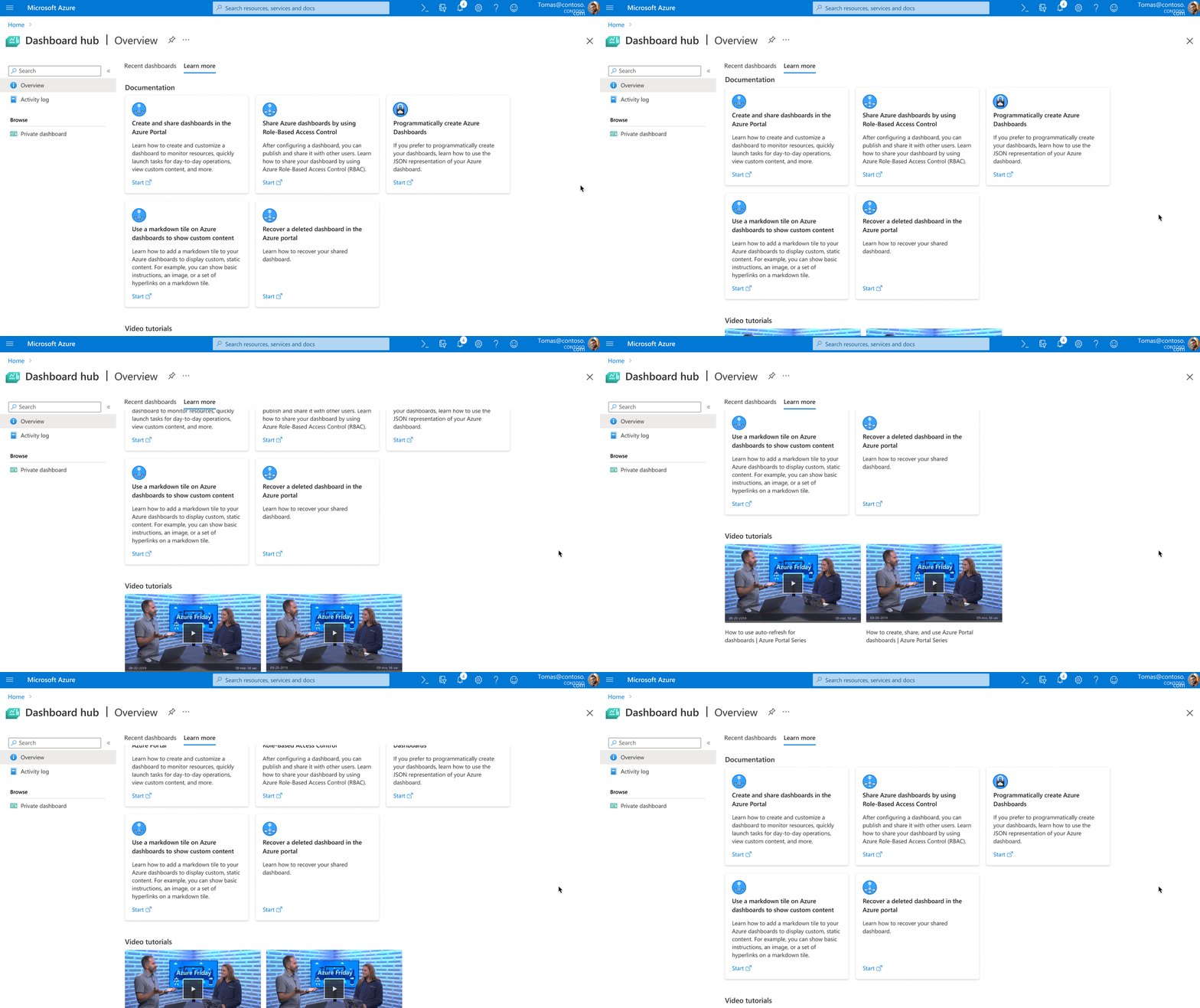
We embedded documentation and tutorial videos directly into the hub, making it easy for users to learn dashboard features without leaving the context. This progressive disclosure approach helps users grow their skills organically.
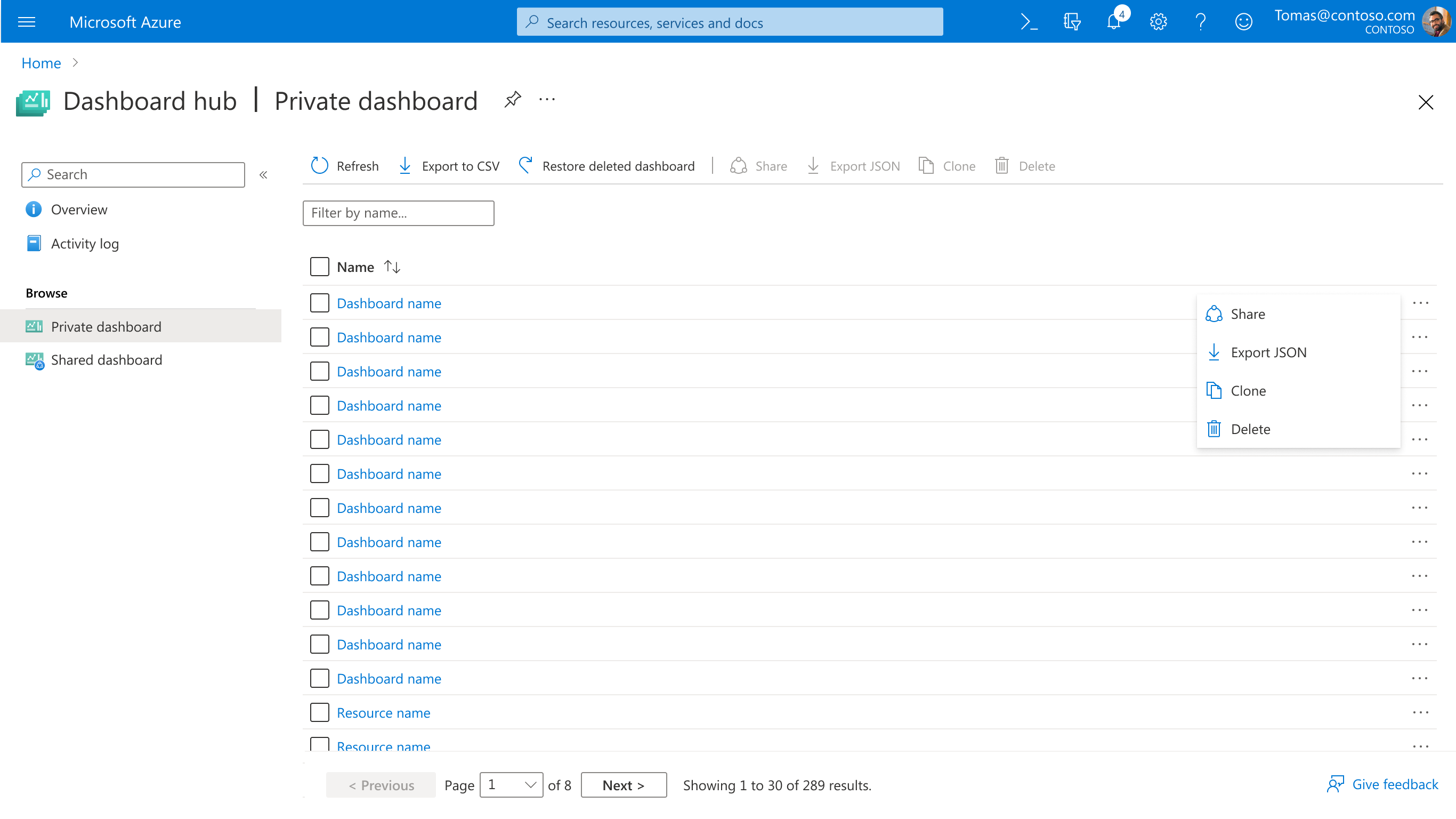
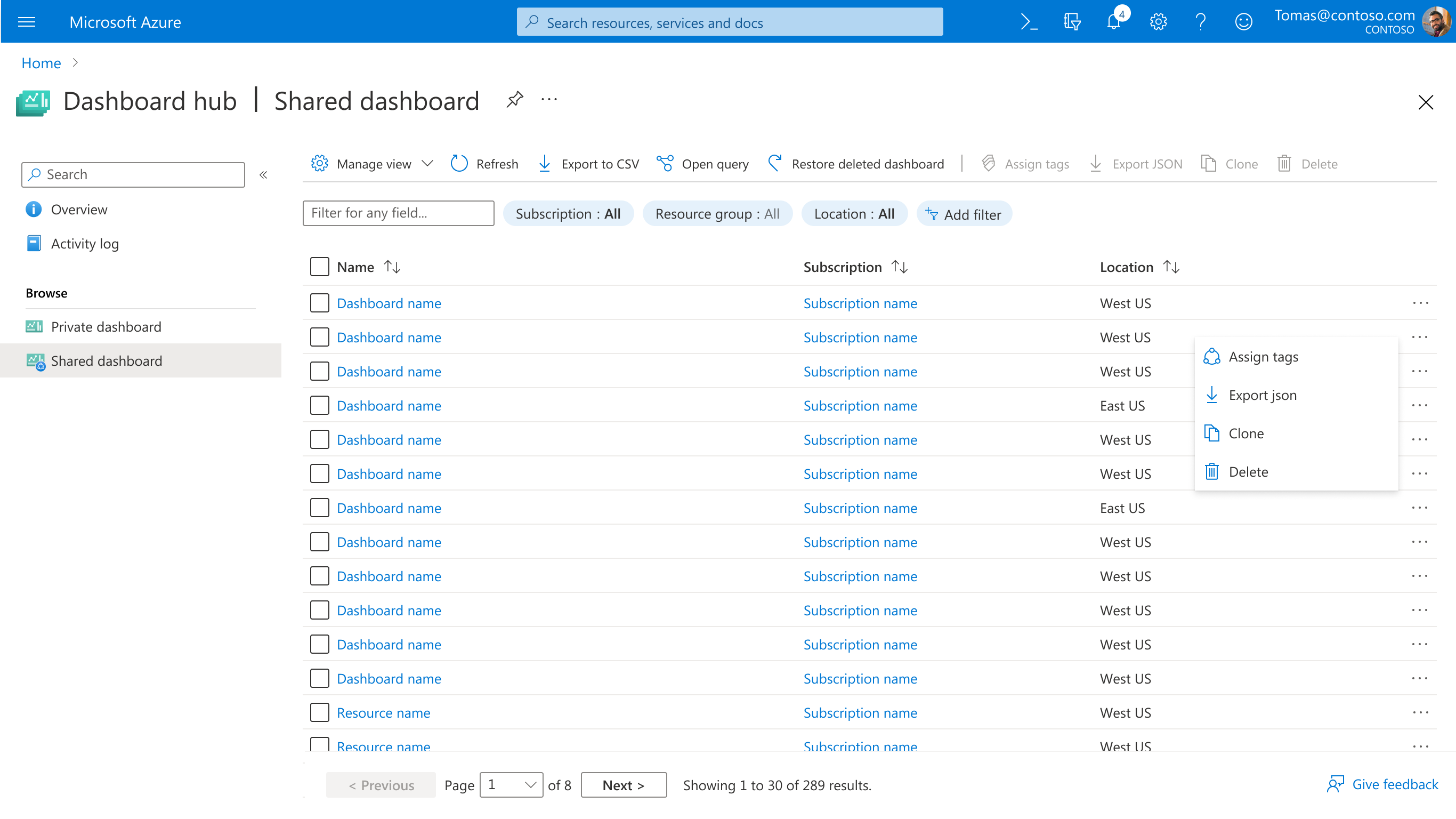
Both private and shared dashboards now live in one consistent interface. Users can easily switch between views, understand ownership at a glance, and manage all their dashboards from a single location.
Private Dashboards
Shared Dashboards
Redesigning the service discovery experience to help users find and access Azure's extensive catalog of cloud services.
With over 500 services available, users are overwhelmed and often don't know what a service is or how it fits with other services. Research indicated that "succinct and pertinent information" would help users learn and make decisions about Azure services.
Users overwhelmed by 500+ services with no clear way to understand what each does.
Hover card funnel dropped from 700k to 3.6k—users don't wait to read descriptions.
Users struggle to find services that fit their business needs from a simple list.
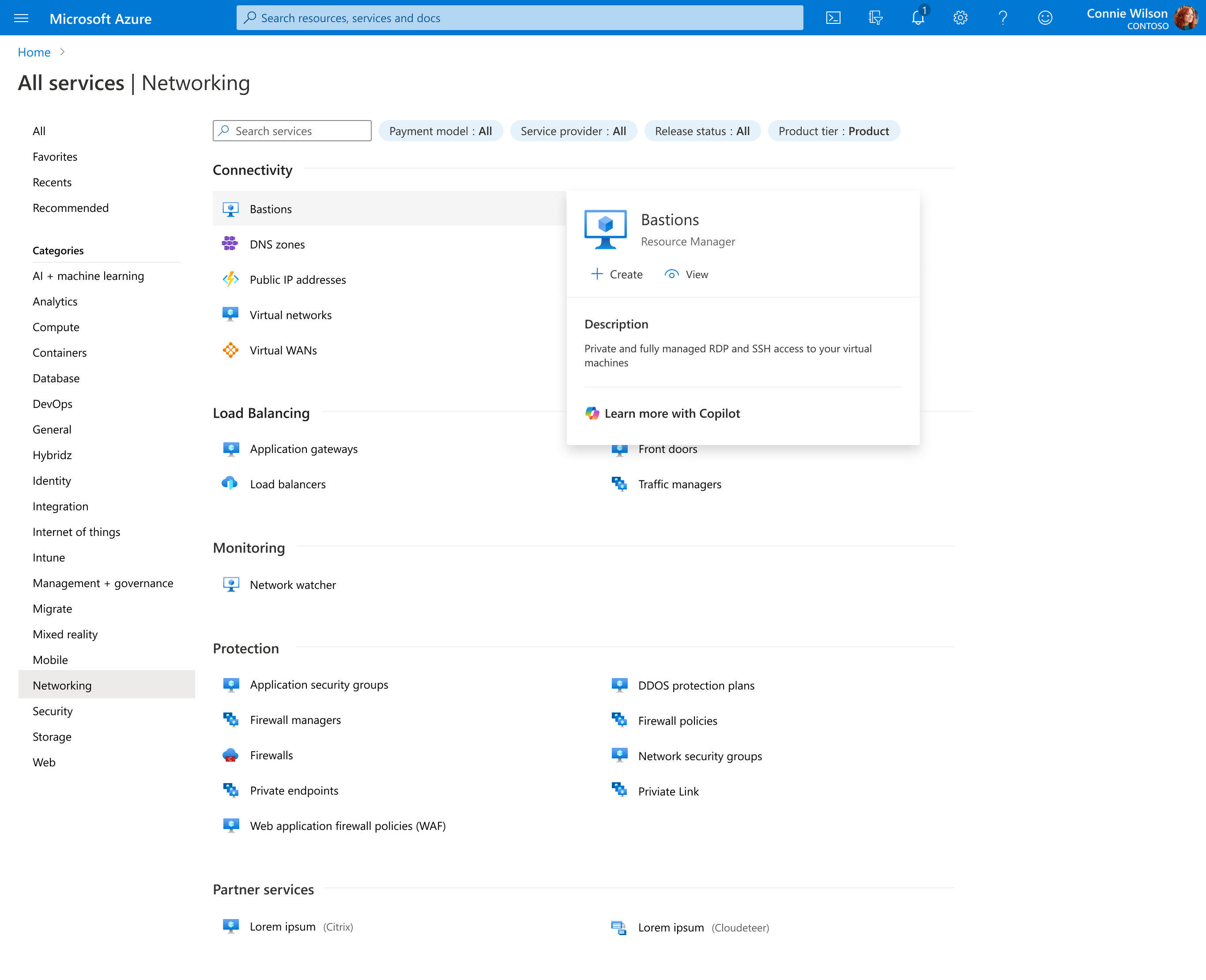
The Previous Design
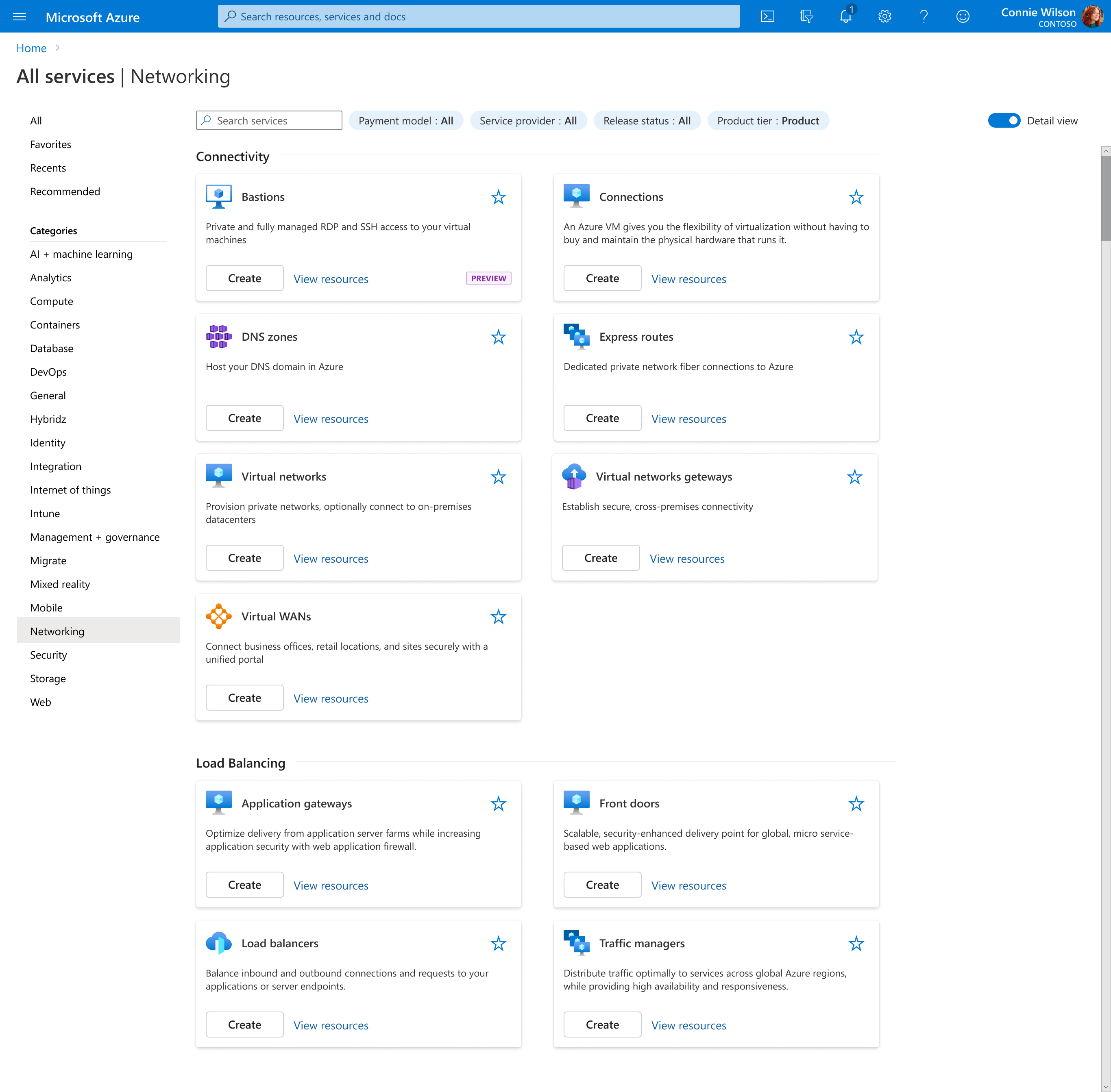
By delivering a descriptive tile view that can be toggled on and off, we provide flexibility in the amount of information users navigate through. Each tile displays an enlarged icon, short description, relevant badges, and quick access to "Create" and "View resources" actions.
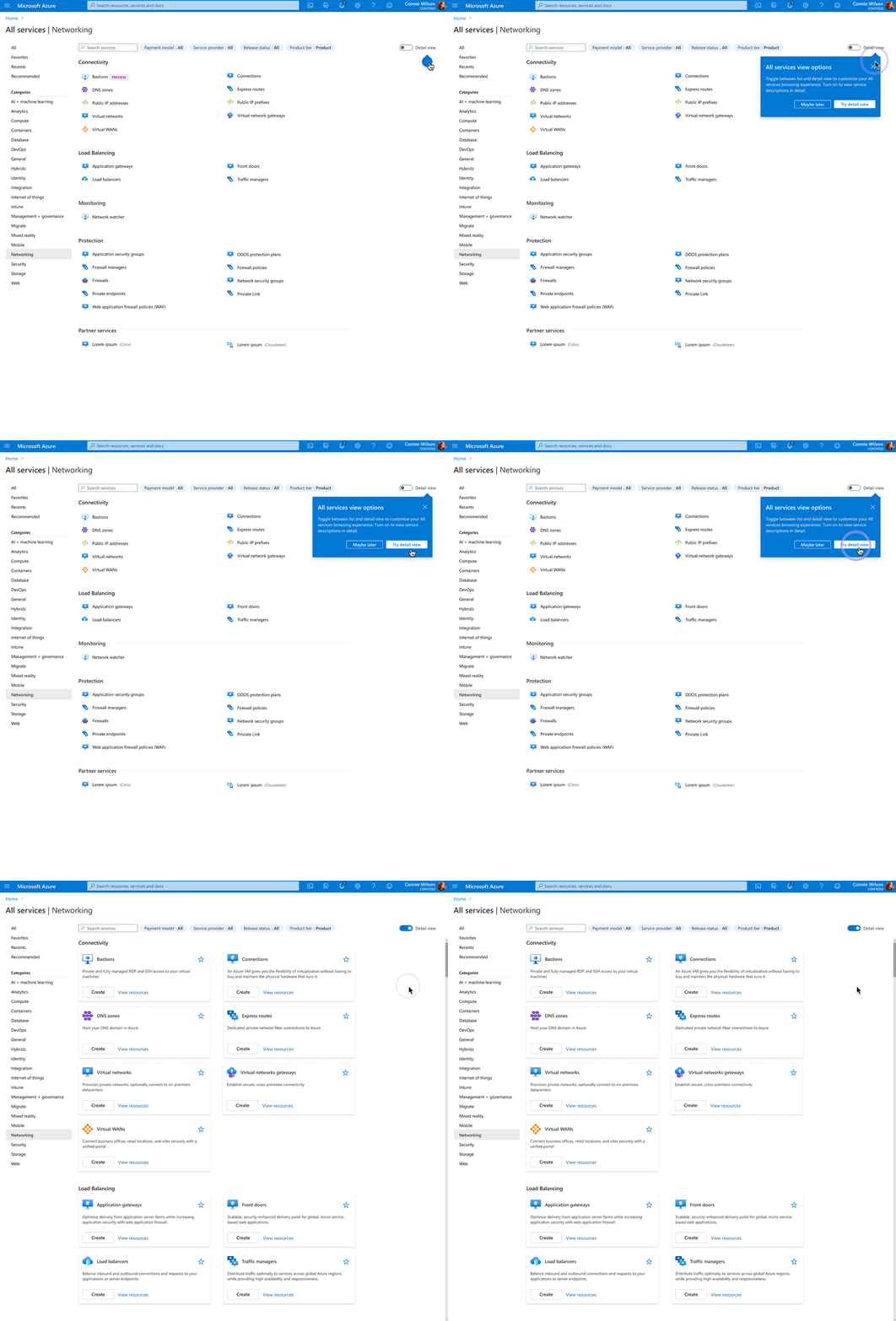
The toggle enables a persistent experience, allowing users to switch between the compact list view and the detailed tile view based on their preference. A coachmark introduces the new feature with a short description about the experience.
Users can't use what they can't find. Navigation design is about making things findable at scale.
Reusable design patterns let teams across Azure ship consistent navigation experiences faster.