The Challenge
SAP employees frequently present at major conferences both internally and externally, creating significant demand for audience engagement tools. The existing third-party solutions didn't integrate with SAP's Fiori design system, and the company needed its own platform that fit within the enterprise ecosystem.
Problem Statement
How might we help presenters at SAP to better engage with their audience?
Design Highlights
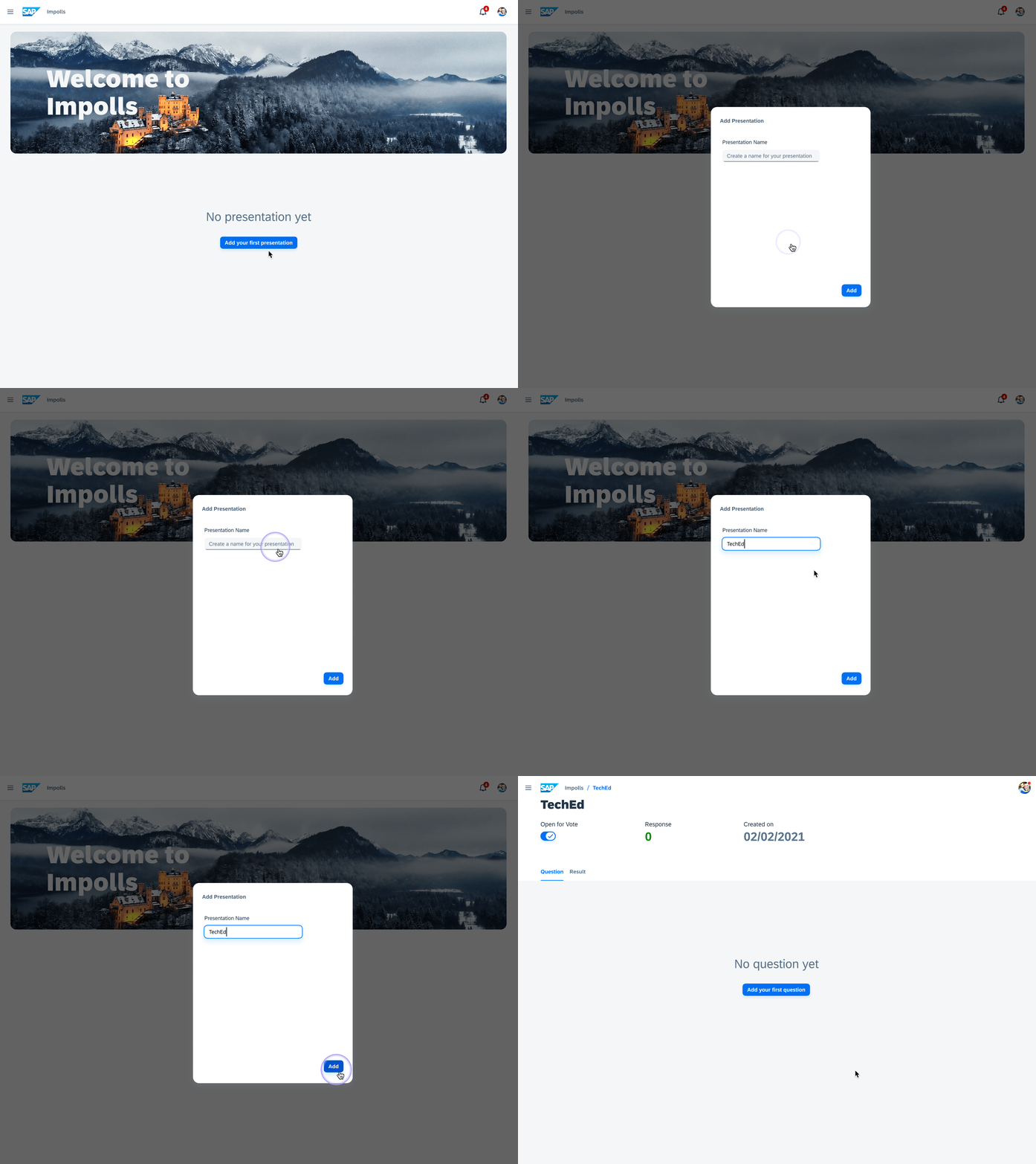
Structured Creation Flow
Impolls organizes content into presentations and polls — presentations serve as containers that group related polls together. This hierarchy helps presenters manage content across multiple events while keeping individual polls reusable.
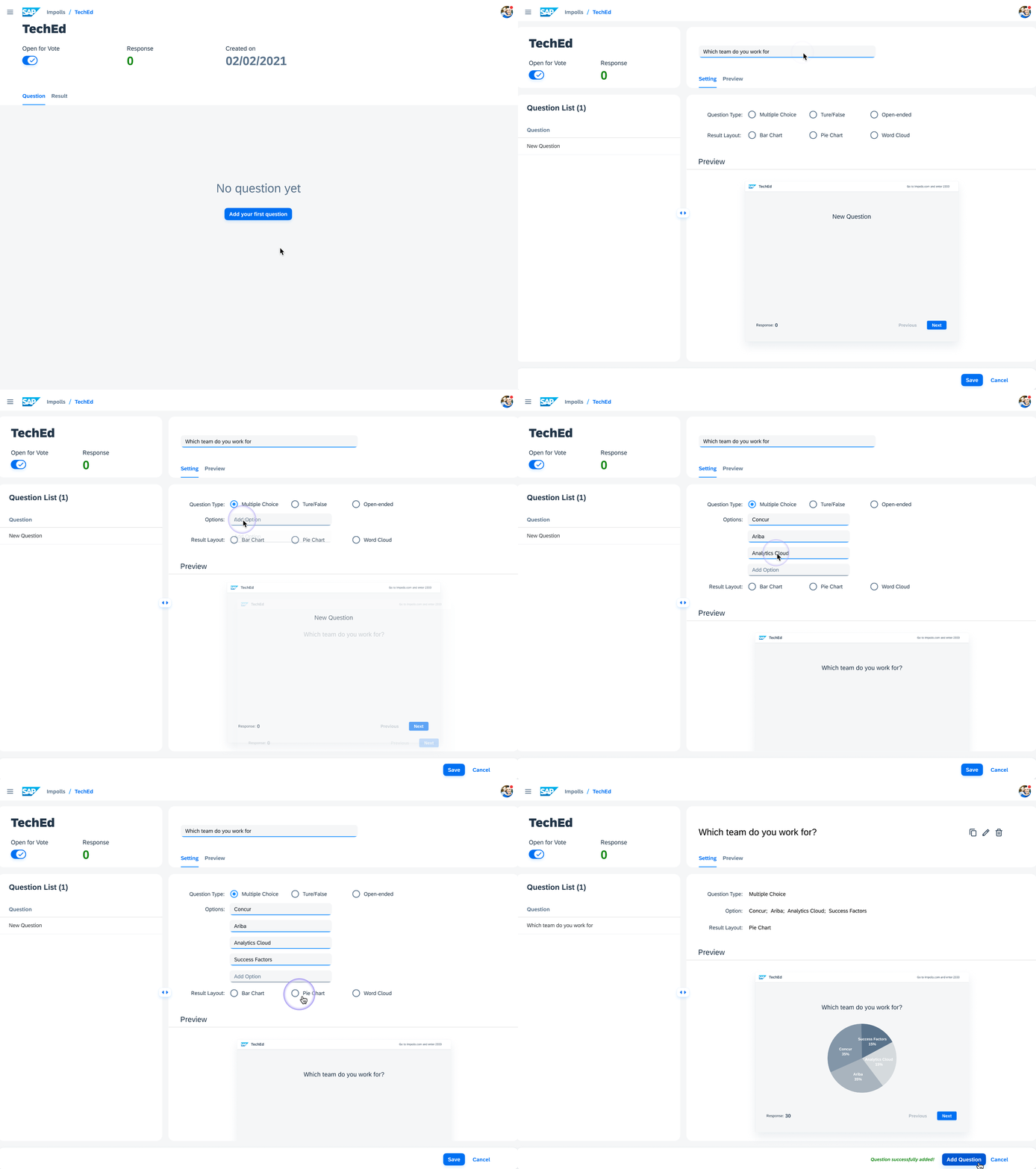
Real-Time Preview
While creating polls, presenters see a live preview of how content will appear during the actual event. This reduces uncertainty and helps presenters craft more effective questions by seeing the audience's perspective in real time.
Live Polling & Participation
On presentation day, speakers activate polls and gather instantaneous audience feedback. Attendees access the platform from any device — desktop or mobile — and respond to active polls as they're presented.
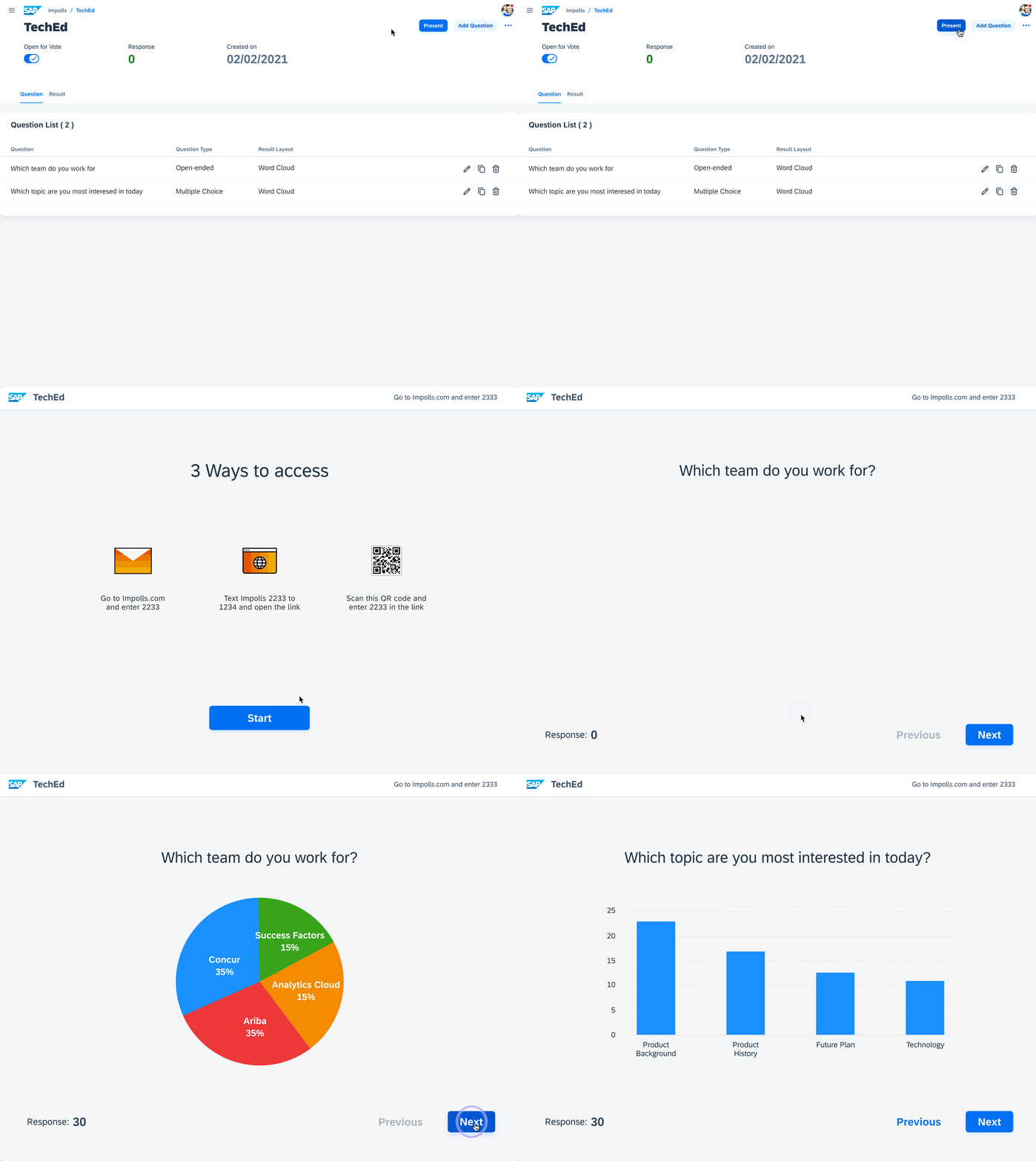
Presenter view
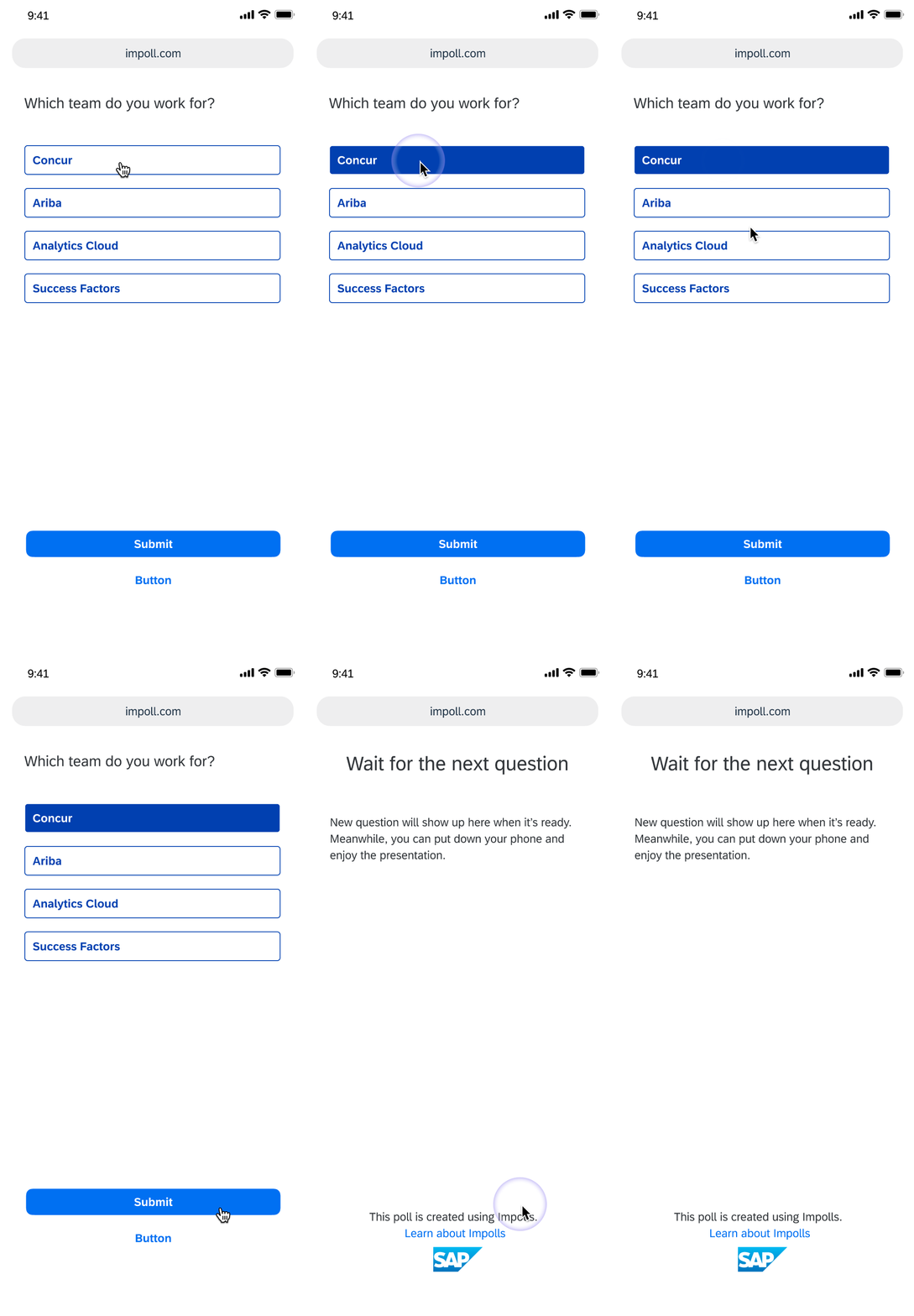
Audience view
Post-Presentation Insights
After the session, presenters review poll outcomes with detailed breakdowns — seeing how responses distributed across options and identifying trends to inform future presentations.
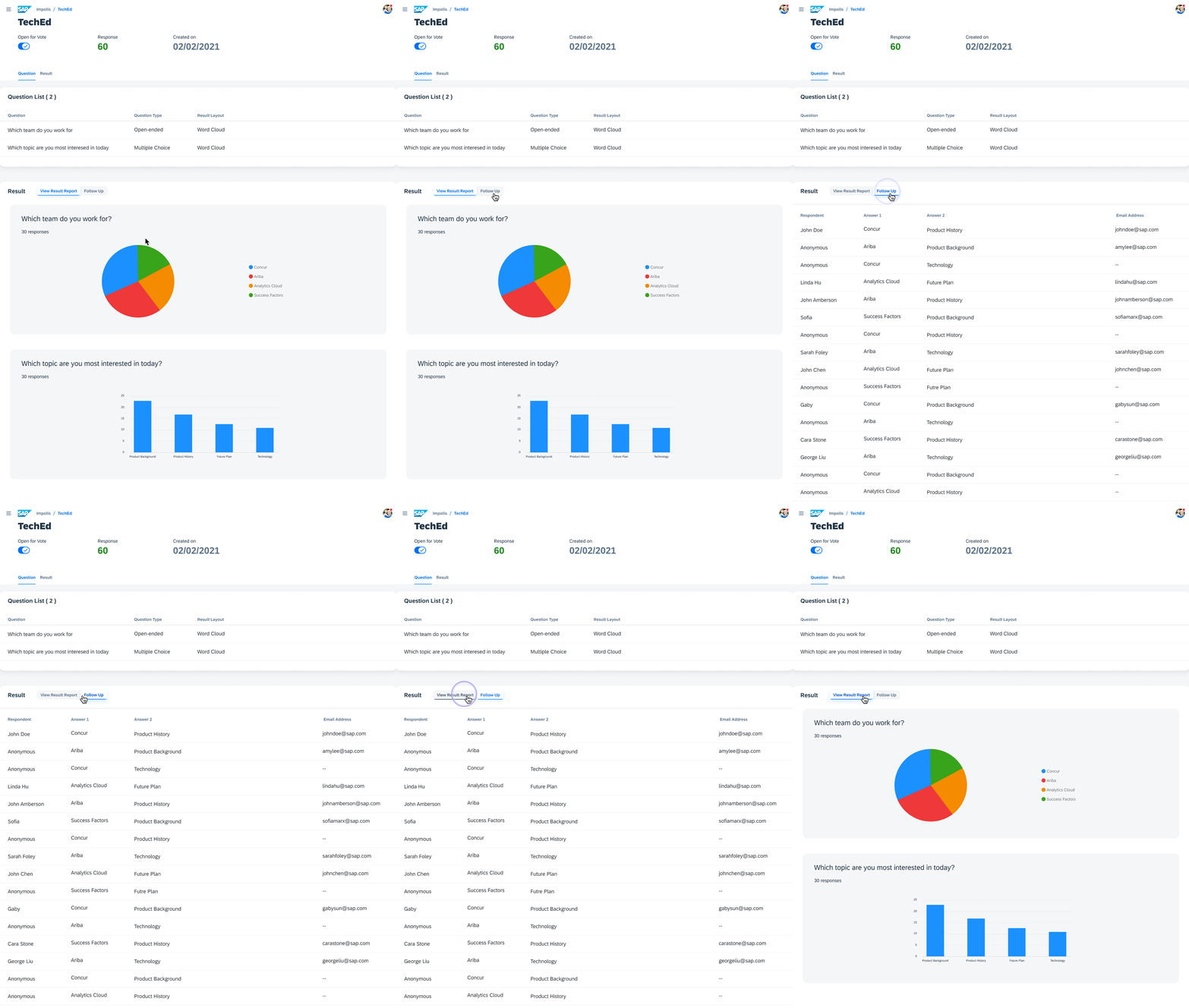
That's the final product — here's how we got there.
Research
We conducted competitive analysis of four polling platforms and structured interviews with 3 presenters and 1 audience member to understand workflows and pain points.
Competitive Insight
Analysis of Mentimeter, Poll Everywhere, Participoll, and Swift Polling revealed two creation patterns: polls coupled with slides, or created separately. Stakeholders chose the separated approach — polls created independently and linked to presentations — to support reusability and showcase the Fiori design system.
Who We Designed For

"I use polls during the presentation to better understand the audience in order to tailor the presentation accordingly."

"I want to engage with the presenter and follow the presentation more attentively."
User Journey
Organize presentations, plan which polls to use for upcoming events
Build poll questions, configure options, preview how results will look
Activate polls live, audience responds from any device, show results in real time
Analyze response data, identify trends, follow up with respondents
Key Insights
Presenters create polls under time pressure — the creation flow must minimize steps and avoid unnecessary decisions.
Presenters want to see exactly how polls will appear to the audience before going live — reducing anxiety and improving question quality.
Audience members expect a frictionless experience — one link, one tap, done. Any complexity loses participation.
Design Process
We mapped the end-to-end user workflow into three phases, then designed within the constraints of SAP's Fiori design system.
Structured creation flow with presentations as containers and polls as reusable units — with real-time preview at every step.
One-click poll activation during sessions, with audience participation via shared link on any device and live result display.
Post-session analytics with response breakdowns, trend identification, and the ability to follow up with respondents.
Designing Within Fiori
The design was bounded by SAP's Fiori design system, which constrained both layout and interaction patterns. We worked with three primary layouts — List Report, Flexible Column, and Object Page — and took an MVP-first approach, excluding non-essential features to ship within the 6-month timeline.
Testing & Iteration
We validated designs with 6 participants (3 presenters, 3 audience members). The key finding: the complexity of the Fiori interface made it hard for first-time users to navigate. Users expected simpler flows with fewer steps.
Participants struggled with the multi-step creation flow — they expected to see a preview immediately rather than configuring question type and result layout first. Navigation between polls and presentations felt fragmented, with too many back-and-forth page transitions.
Audience testers found the participation flow straightforward but were confused by the landing page when no poll was active. They expected a simple waiting state rather than an empty screen, and wanted clearer confirmation after submitting a response.
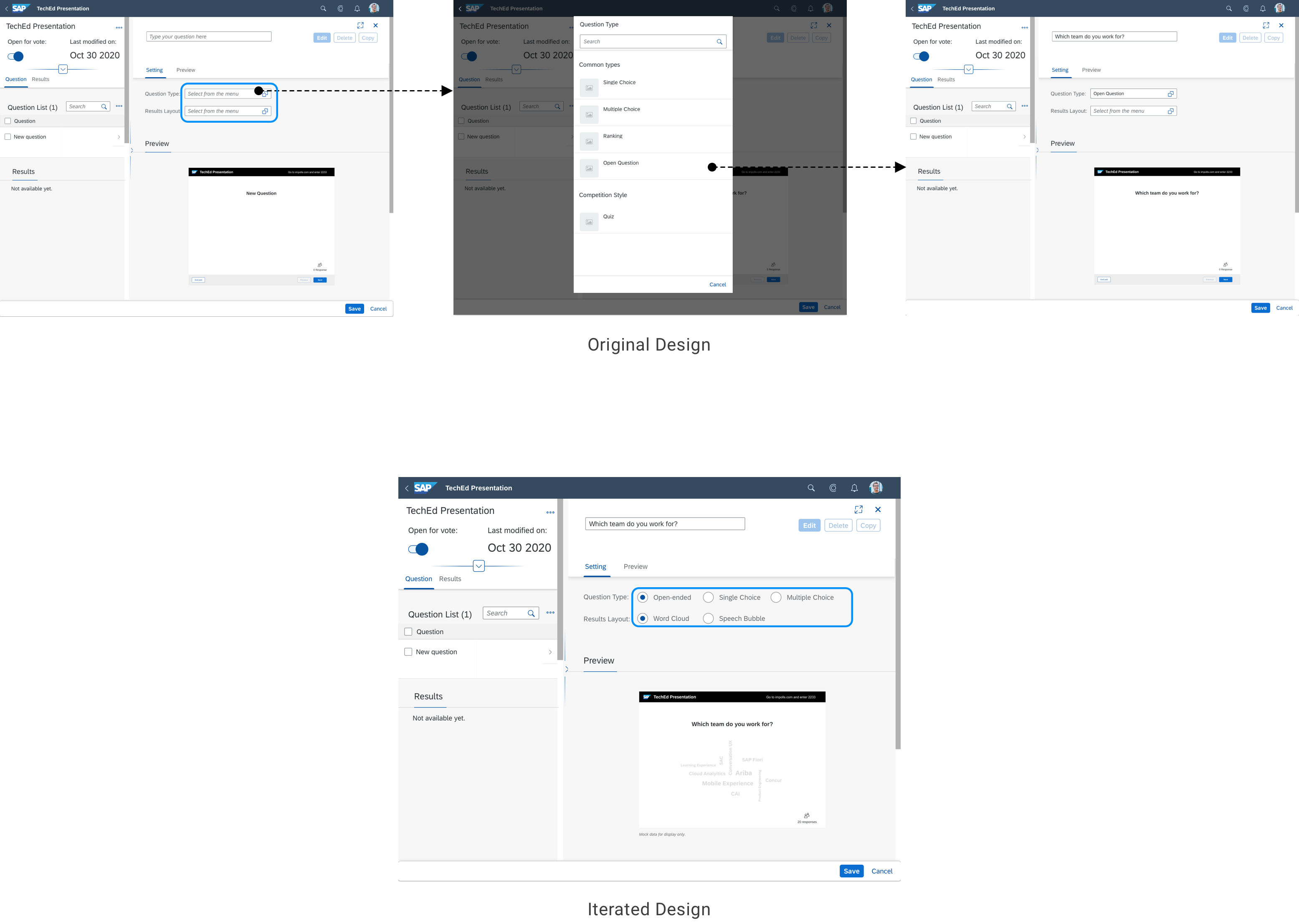
Default Selections to Save Steps
Users wanted recommended defaults rather than having to choose question types and result layouts before seeing a preview. We added smart defaults that let users see results immediately while still allowing customization.
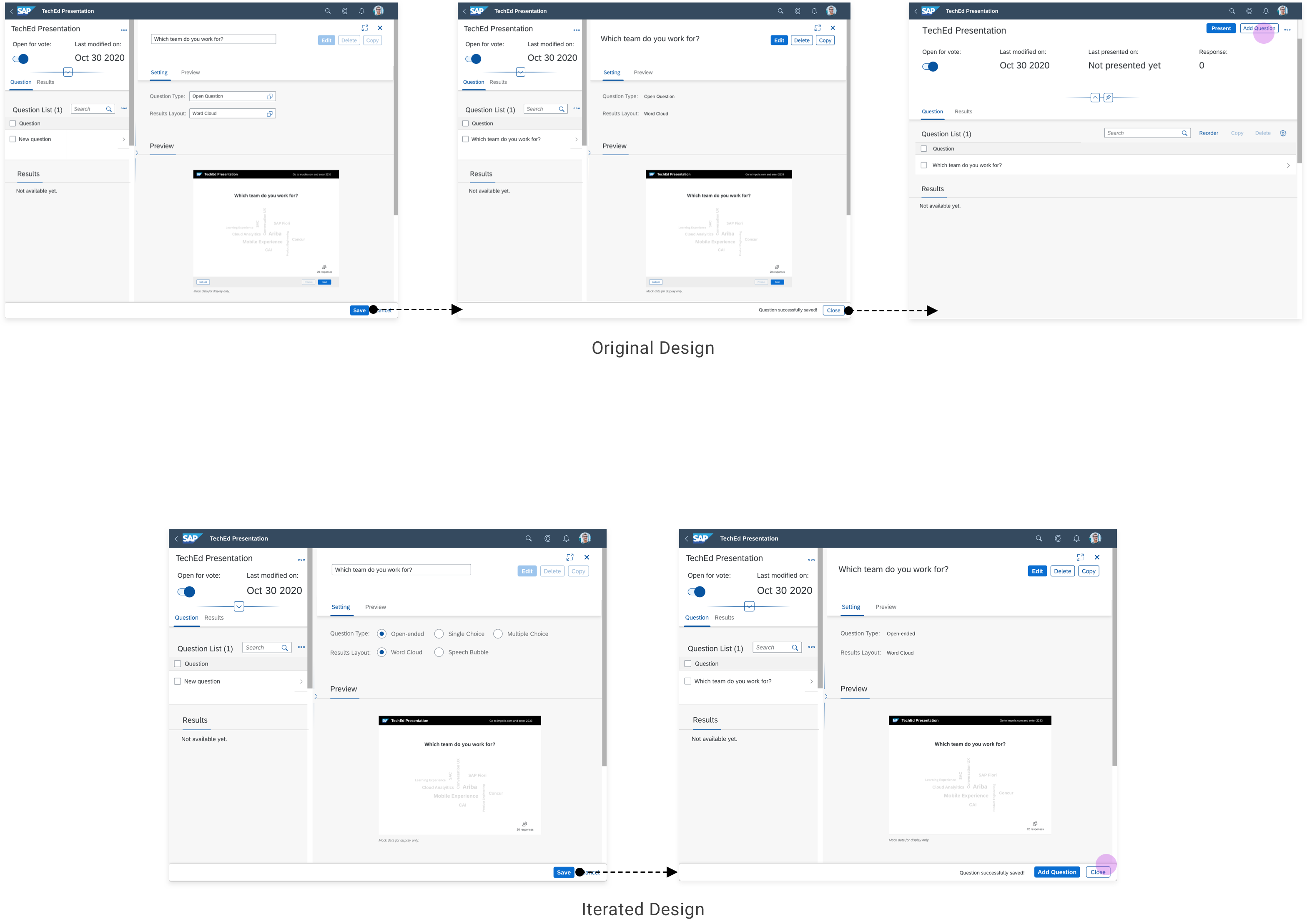
Single-Page Creation
The initial design required navigating back to a list page after saving each question. We consolidated the flow so users could create and add multiple questions on the same page without back-and-forth navigation.
Takeaways
Design Within Constraints
Enterprise design systems like Fiori impose real constraints. Working within them requires creativity — constraints don't limit good design, they shape it.
Test Early, Iterate Often
User testing revealed usability issues that weren't visible in design reviews. Even with Fiori's established patterns, our specific use case needed simplification.
Structure Enables Flexibility
The presentation → poll hierarchy seemed simple but gave users powerful organization capabilities for managing content across events.