The Challenge
Different teams across SAP applied their own design principles to conversational experiences, and the CUX design language hadn't been consistently adopted. Multiple unaligned information sources, outdated content, and scattered documentation made it difficult for teams to find and apply the right patterns.
Goals
Align CUX efforts across SAP for a consistent user experience. Provide centralized guidance and embed CUX practices into products to reduce per-team decision-making.
Scattered Resources
Multiple unaligned information sources across different business units with no single source of truth.
Outdated Content
Existing documentation was outdated and lacked clear navigation, making it hard to find relevant guidance.
Low Awareness
Stakeholders were often unaware of available CUX resources, leading to inconsistent implementations.
CUX Guideline Site
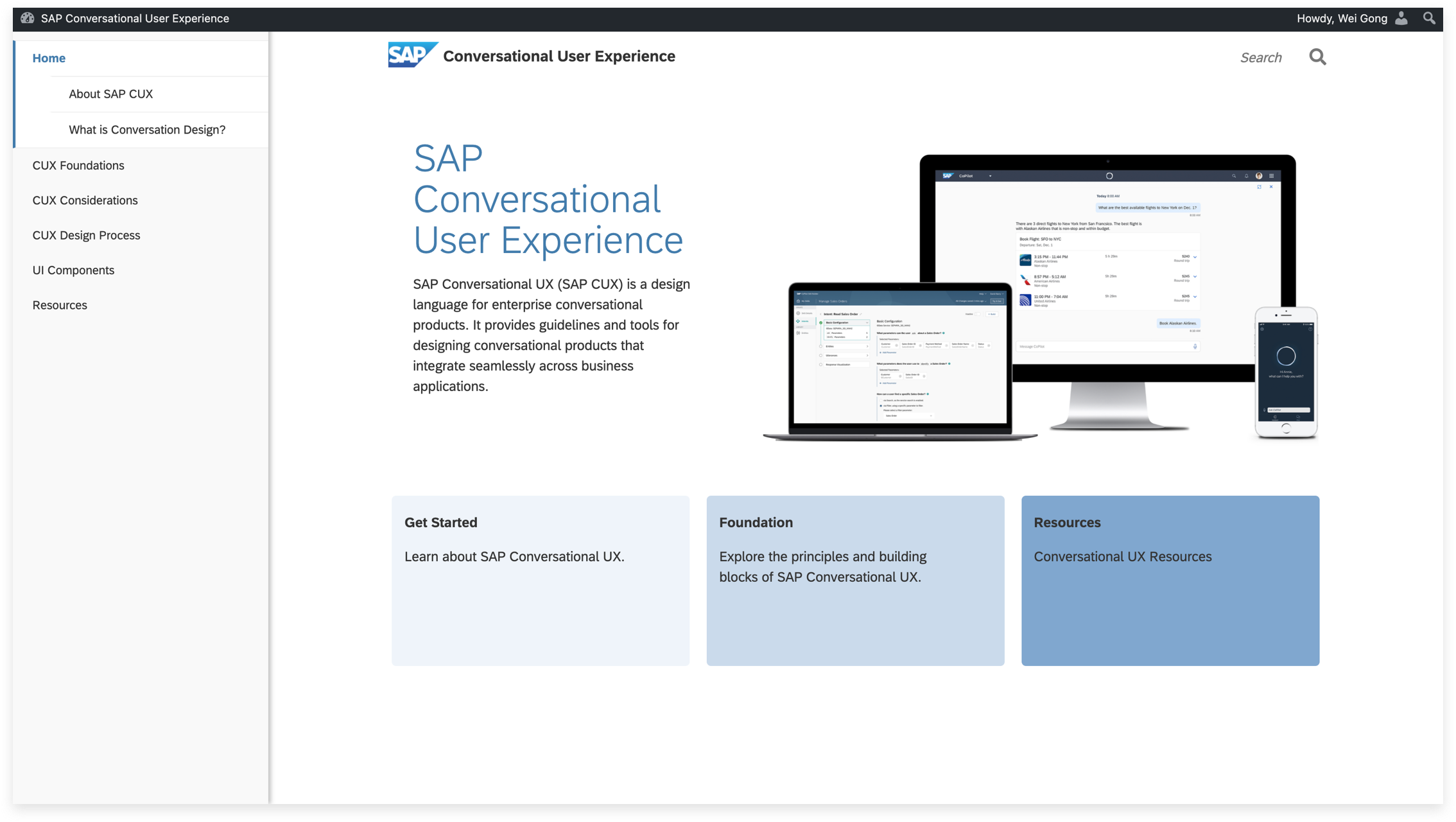
We updated the centralized CUX guidance site with refreshed content covering foundational concepts — design principles, checklists, and conversation design processes — all based on research into current best practices.
Centralized Guidance Portal
We restructured the site navigation by topic rather than team ownership, and redesigned the portal to provide a clear, navigable home for all CUX content — from high-level principles to detailed component specifications.
Component Enhancement
We designed and documented enhanced conversational components through a process of secondary research, design exploration, user testing, and detailed specifications.
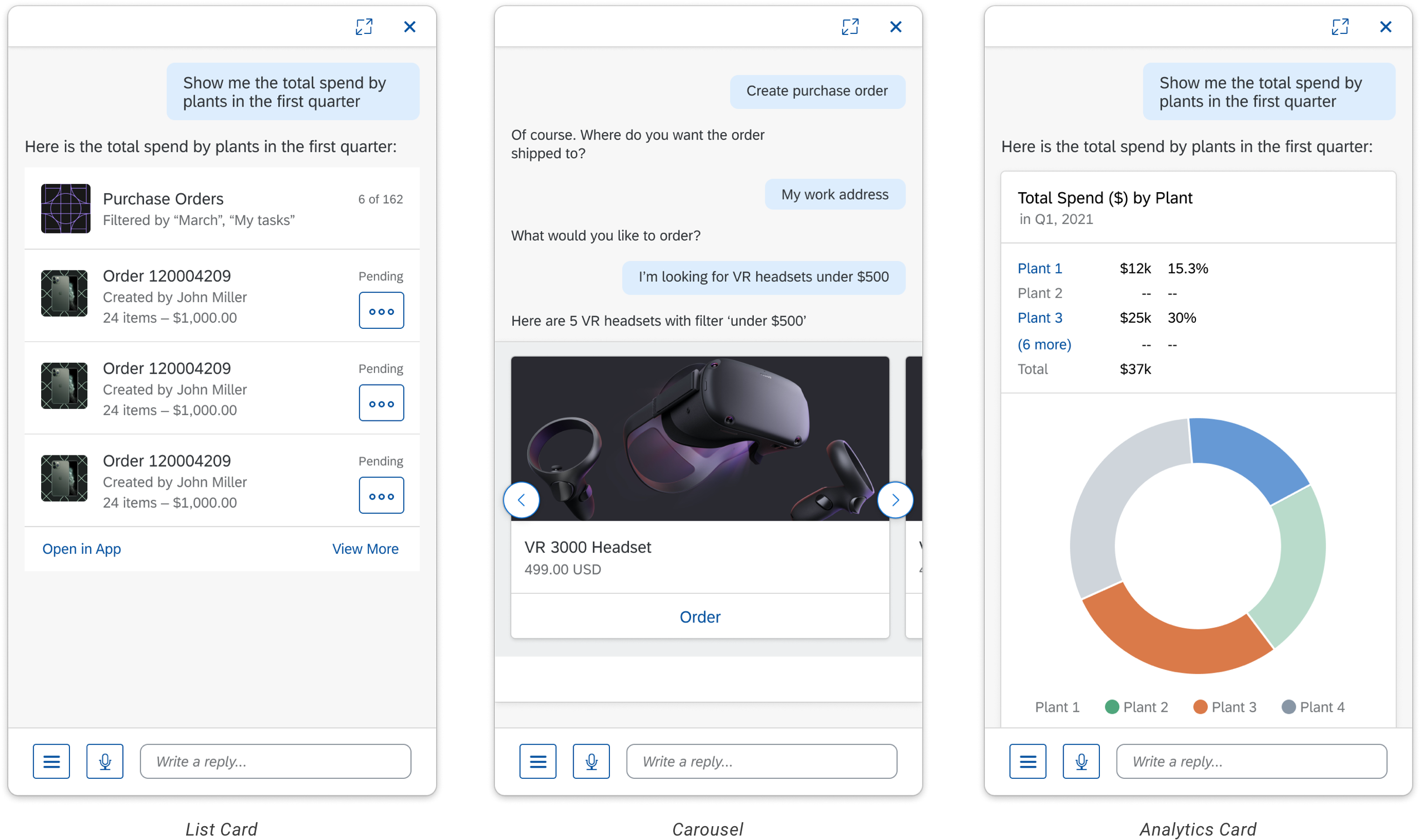
Components in context — List Card, Carousel, and Analytics Card
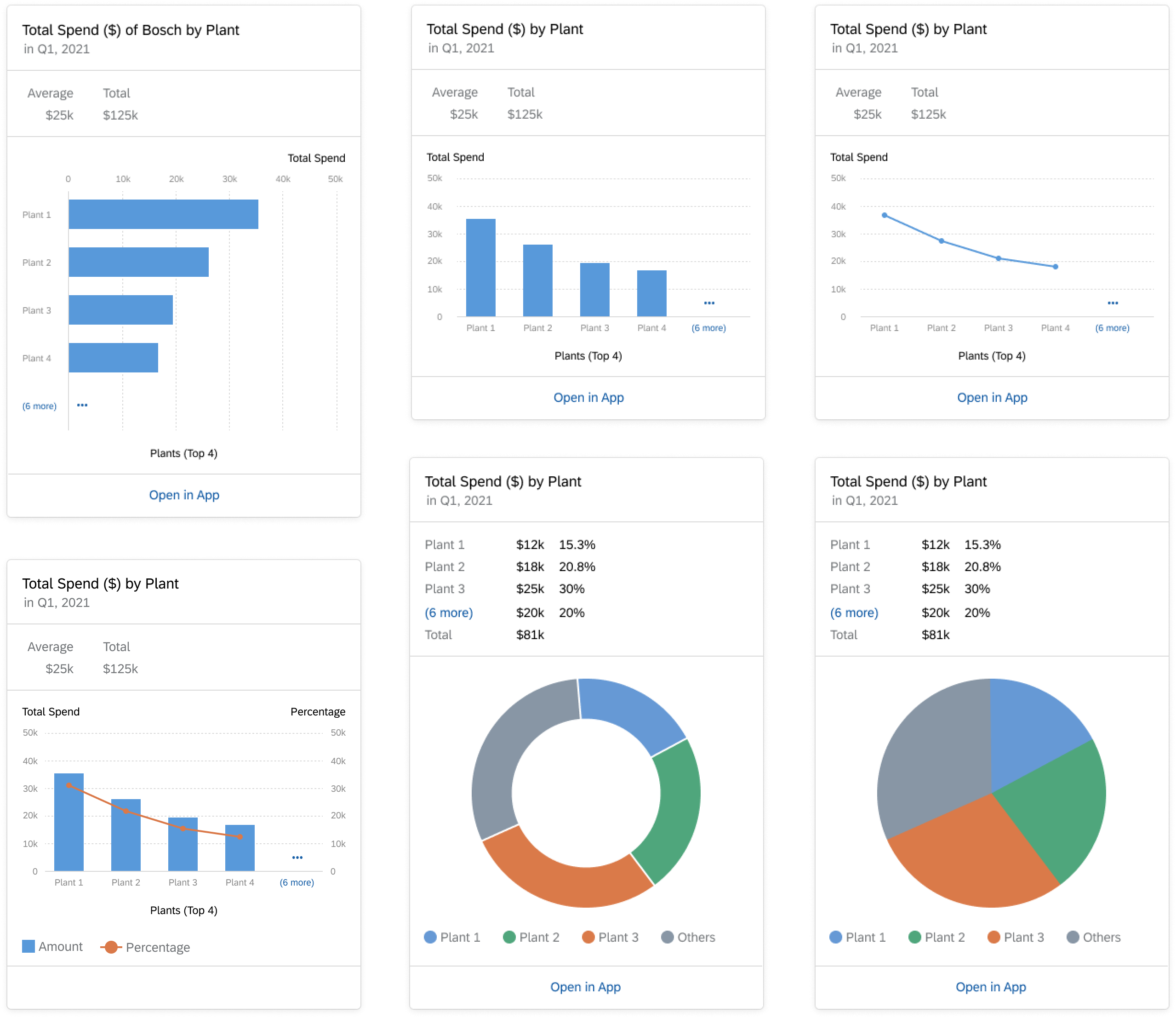
Analytics Card
Displays dynamic charts as conversational responses, allowing users to view data insights directly within the assistant panel.
Training Course
We created an approximately 20-minute training course to onboard teams across SAP on conversational UX practices. The course covers SAP Fiori fundamentals, CUX definitions and use cases, component selection criteria, and a real-world scenario walkthrough.
SAP Fiori Foundation
What is SAP Fiori, and why should we use it? Covers the three core values: consistency, integration, and intelligence.
SAP CUX Overview
What is SAP CUX? Defines the building blocks of conversational experiences and when to apply them.
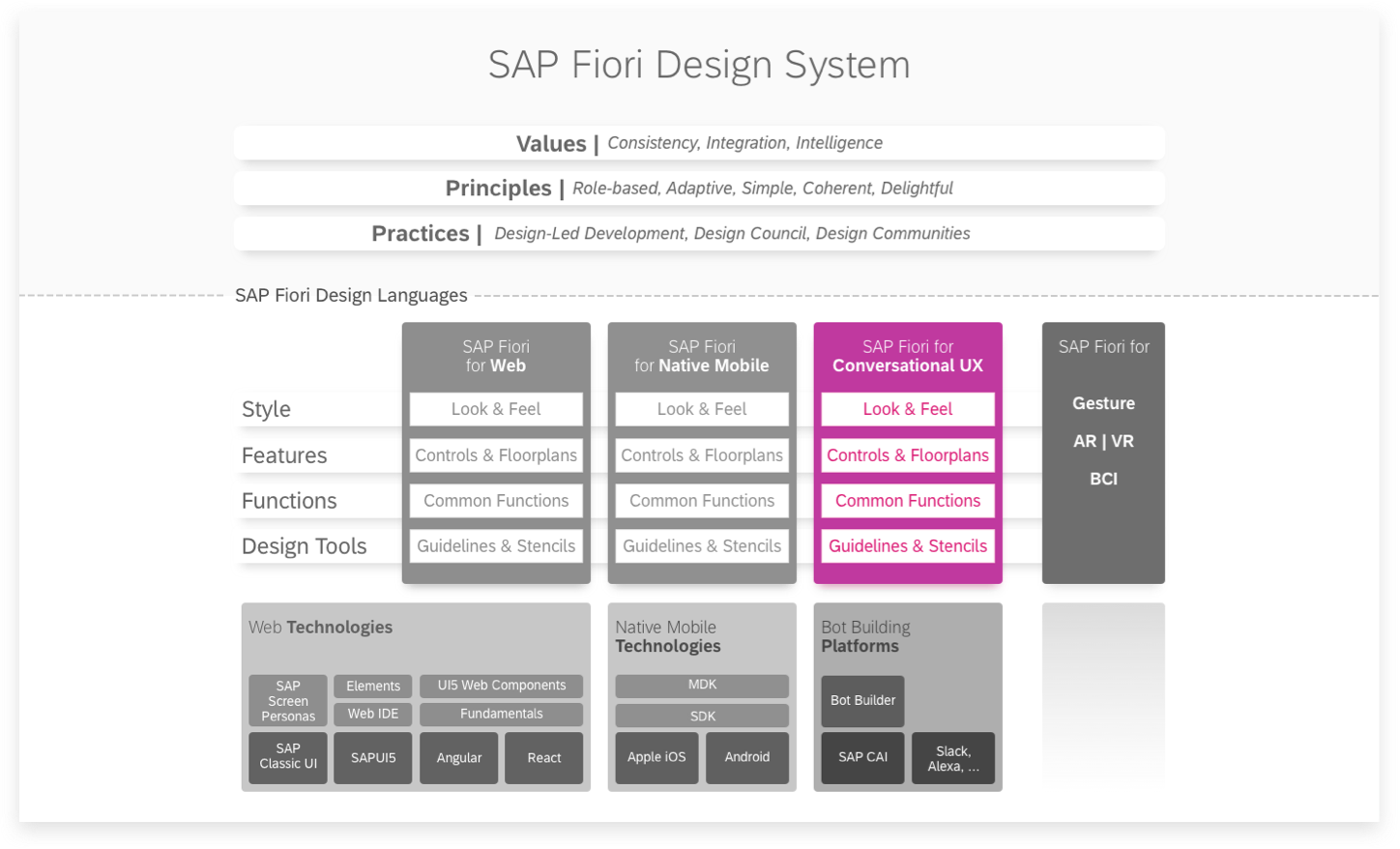
Training module: SAP Fiori design system with CUX building blocks highlighted
Use Case Walkthrough
The course concludes with a hands-on scenario: "Annie requests a purchase order for a VR headset, and would like to send the invoice after ordering." — demonstrating how six CUX components work together in a single conversation flow.

Static Menu
Fixed options guiding the conversation toward a specific intent
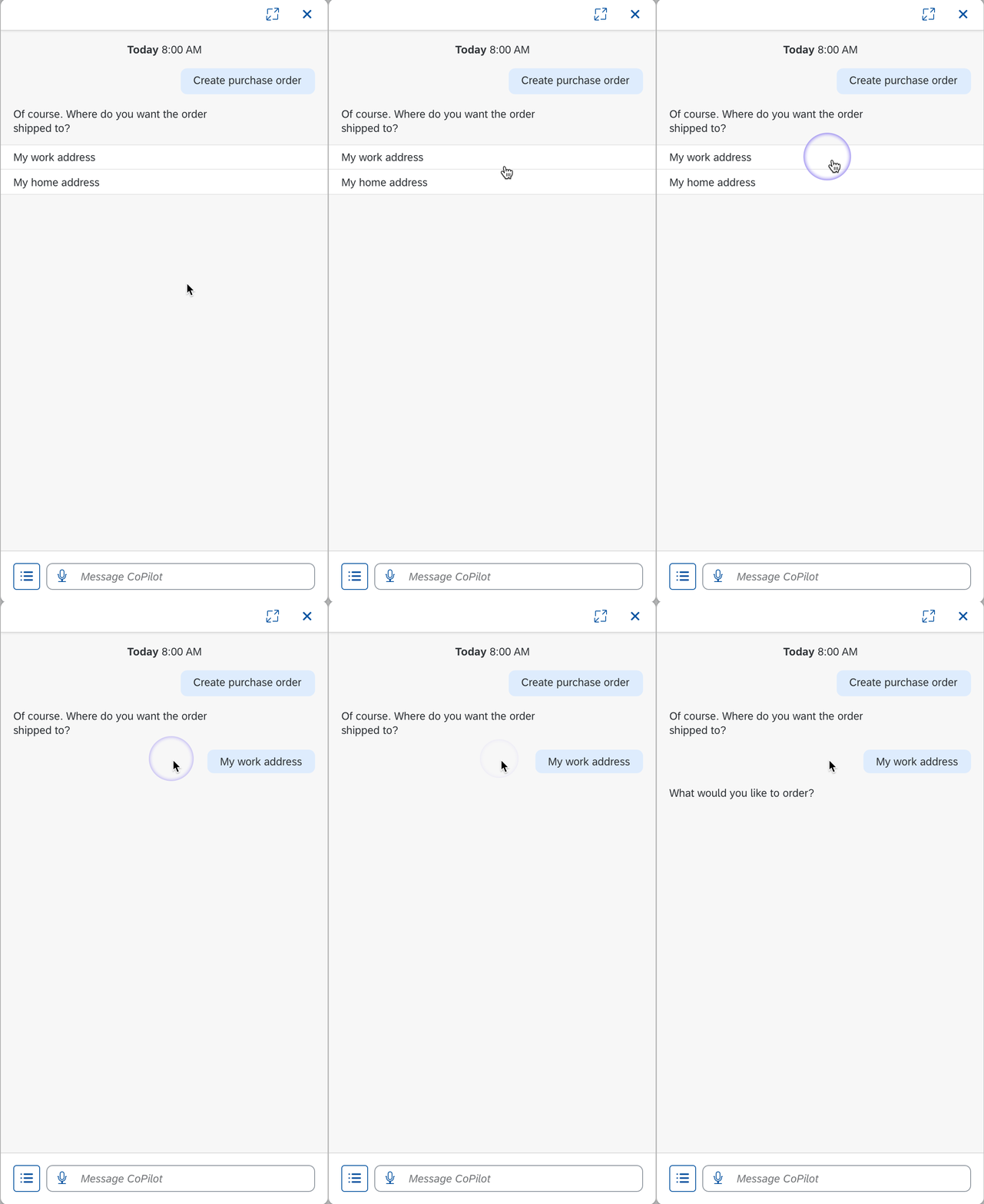
Menu Selection
Categorized options for more complex, structured choices
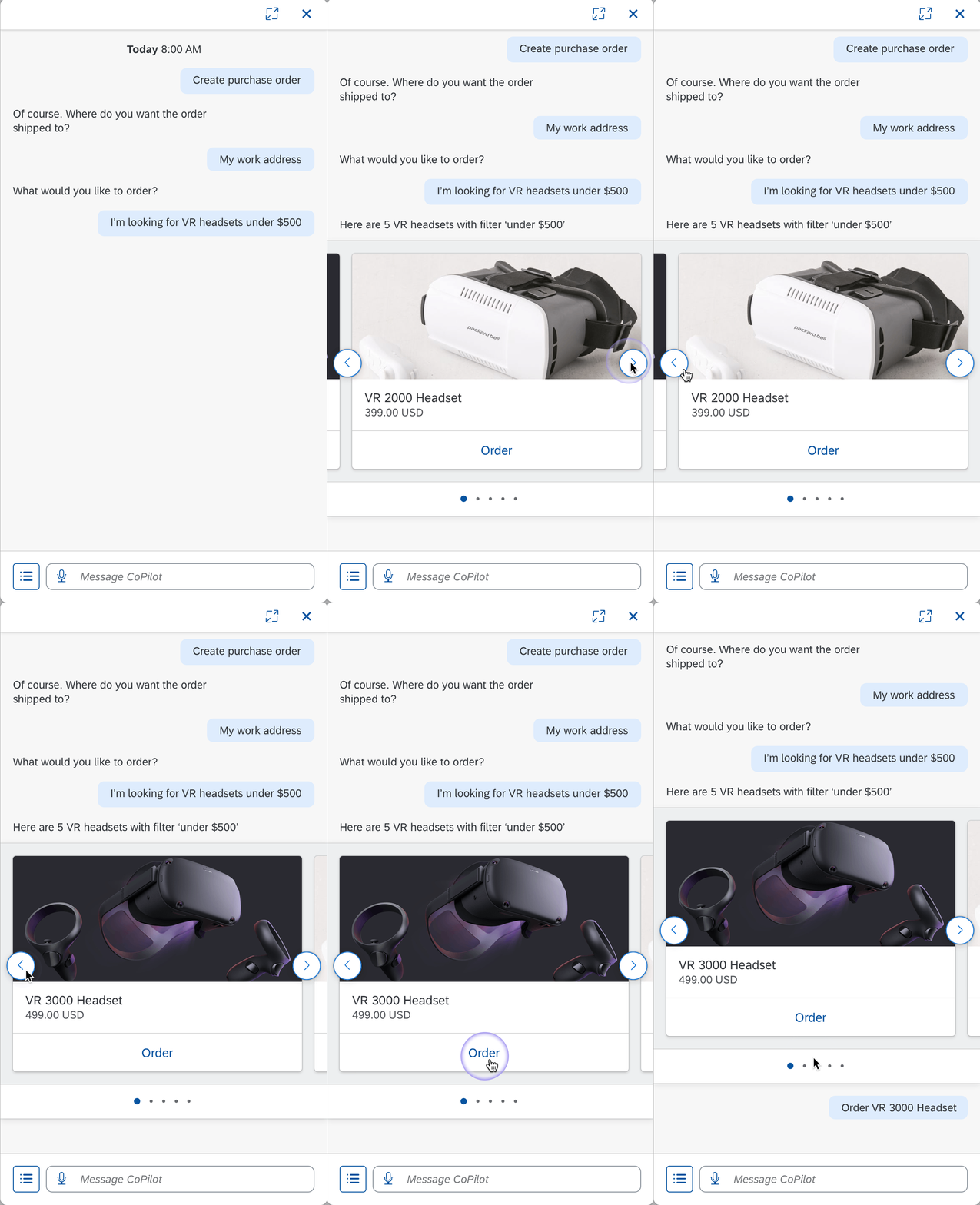
Carousel
Scrollable cards for browsing multiple options like product variants
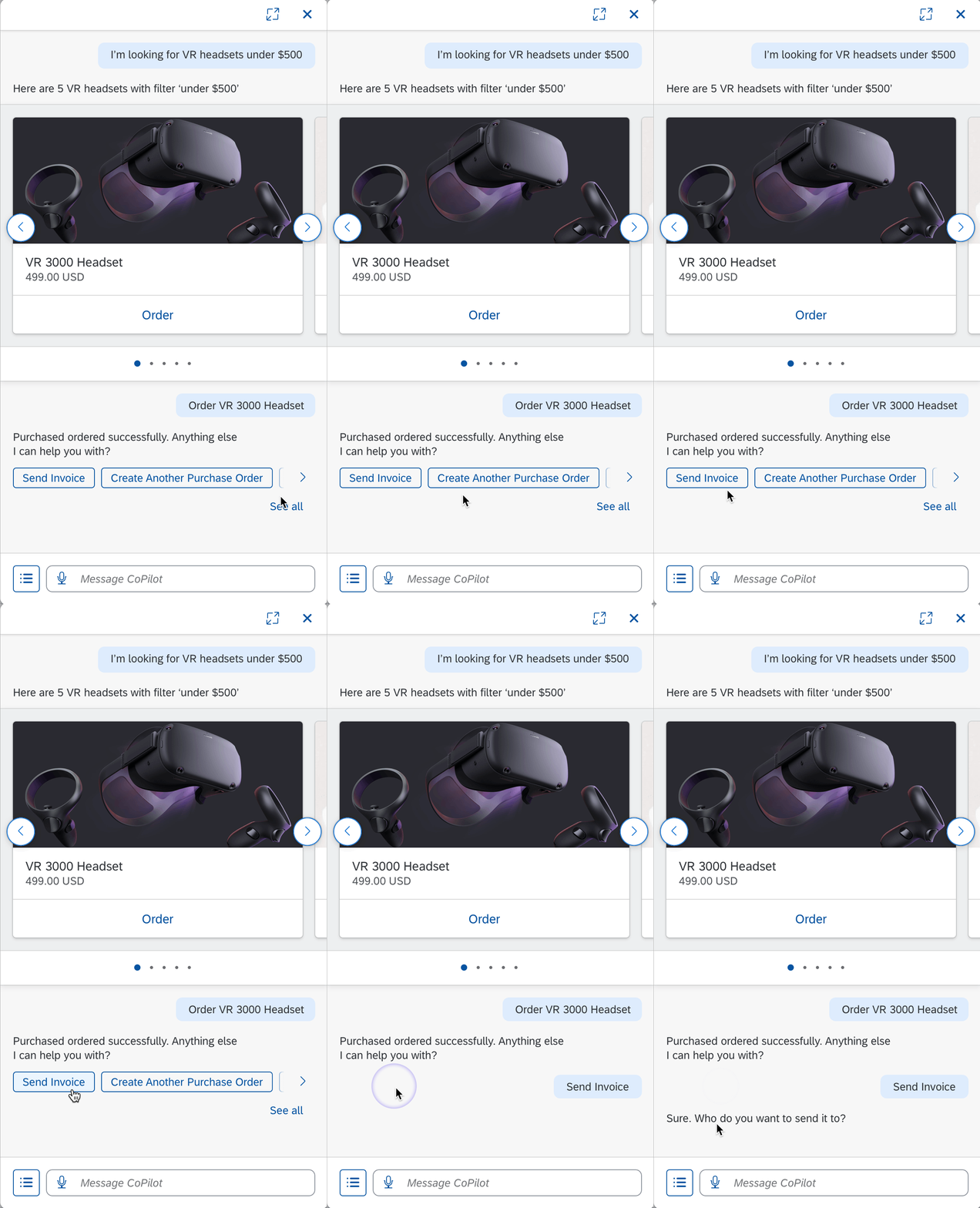
Quick Reply
One-tap responses that reduce typing and guide the flow forward
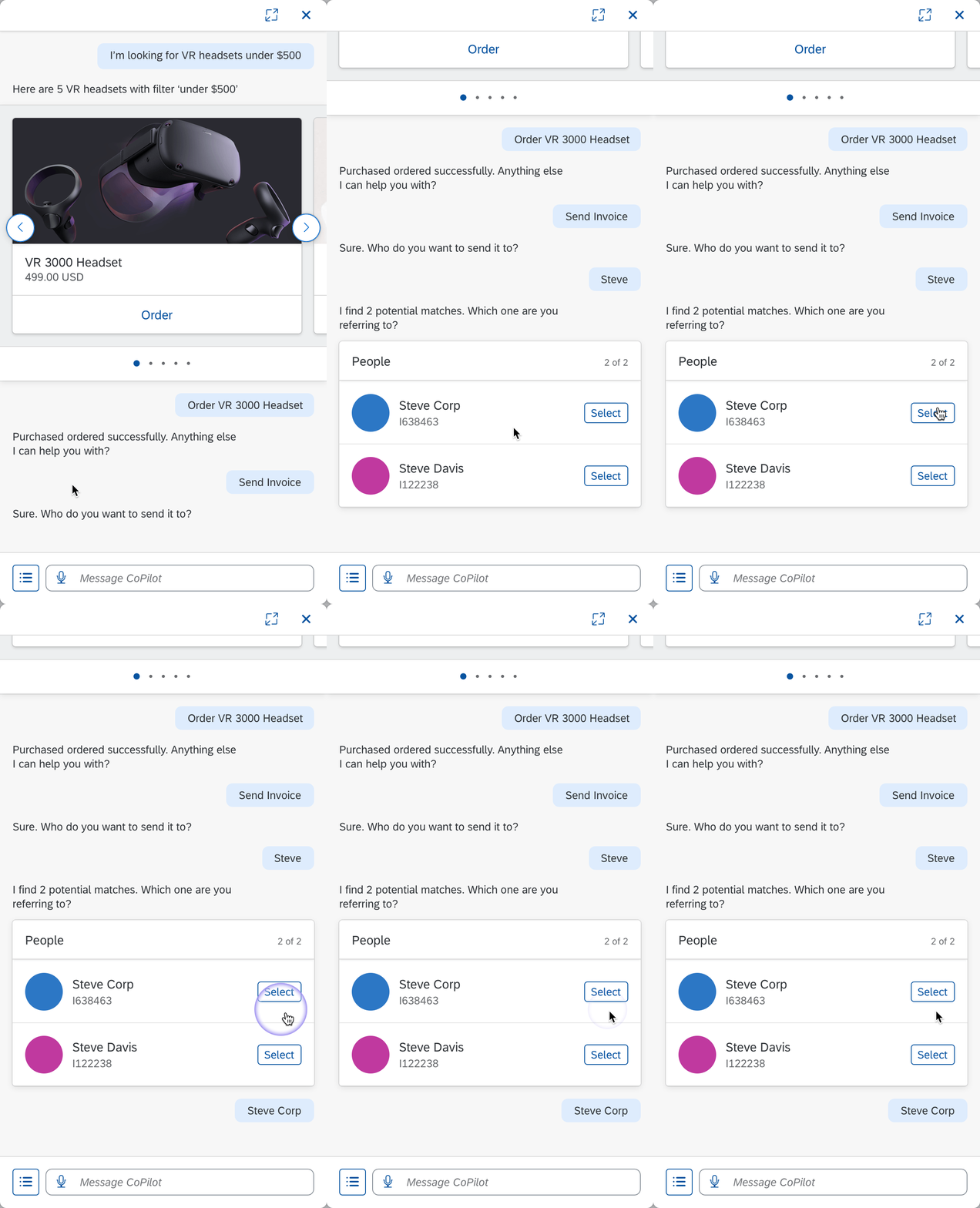
List Card
Structured list for disambiguation when multiple matches exist
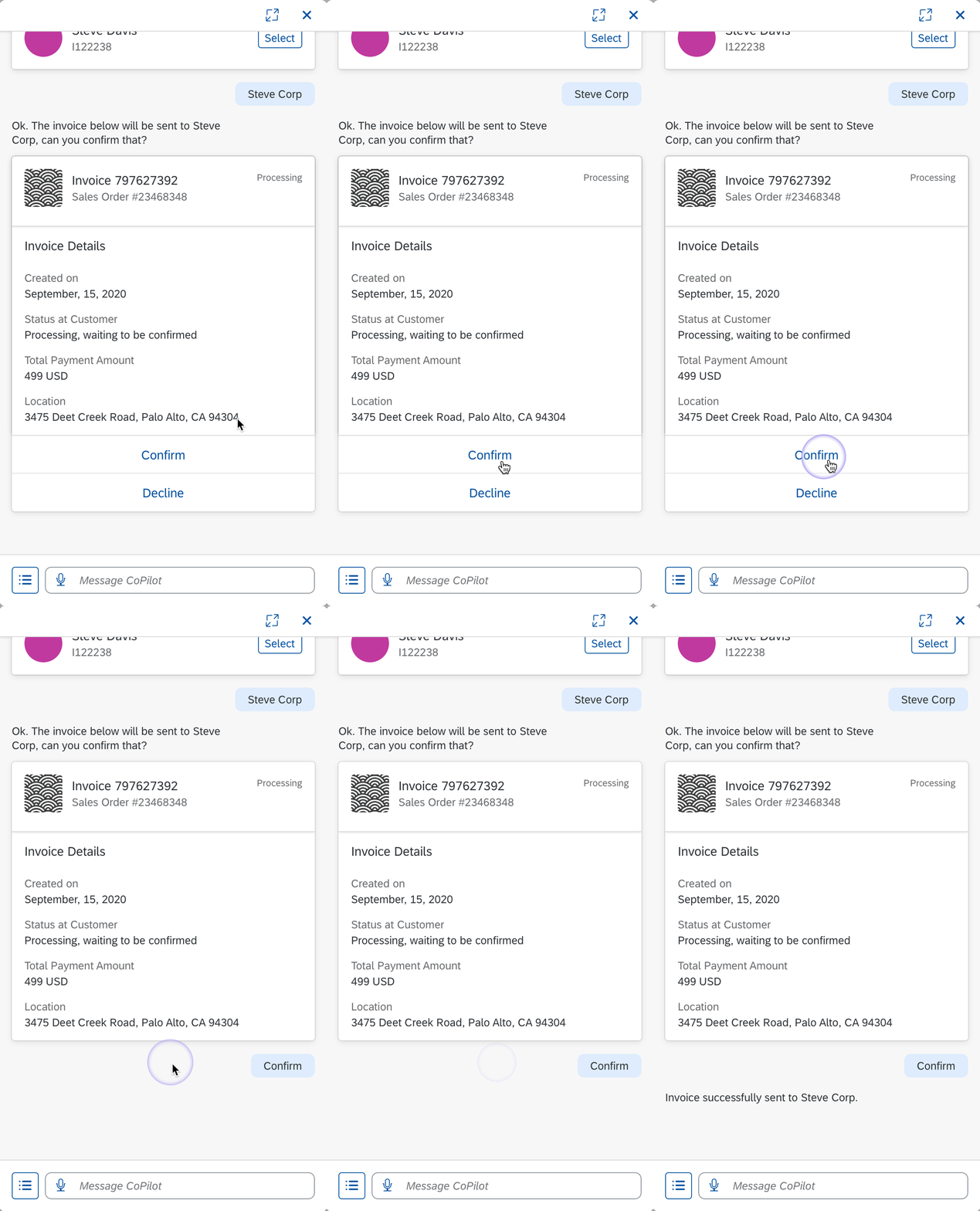
Object Card
Detailed item view with key attributes and available actions
Takeaways
Systems Over Screens
Building a design system isn't about individual components — it's about creating a shared language that scales across teams and products.
Education Drives Adoption
Guidelines alone aren't enough. A structured training course dramatically increased team awareness and correct usage of CUX patterns.
Show, Don't Tell
The use case scenario approach — walking through a real conversation flow — proved far more effective than abstract component documentation.